

Table of Contents
- What You'll Need Before You Service Industrial DTF Printers
- Step 1: Run a Nozzle Check and Inspect Print Quality
- Step 2: Clean the Capping Station, Wiper Blade, and Ink System
- Step 3: Troubleshooting DTF Print Head Clogs
- Step 4: Check and Replace Industrial DTF Printer Spare Parts
- DTF Printer Maintenance Schedule: Daily, Weekly, and Monthly Tasks
- Common Mistakes to Avoid When You Service Industrial DTF Printers
- When to Call a Professional Engineer
Last Updated: August 27, 2026
Keeping an industrial DTF printer running at full capacity is one of the most consequential maintenance challenges in commercial print production. At Laserprints, we work with production managers and maintenance engineers across the UK who know exactly what unplanned downtime costs: delayed orders, frustrated clients, and lost revenue that compounds by the hour. Understanding how to service industrial DTF printers properly is the difference between a machine that runs reliably for years and one that fails at the worst possible moment.
This guide walks through every stage of a thorough service, from the initial nozzle check to spare parts replacement, with a practical maintenance schedule you can implement immediately. According to the Health and Safety Executive's guidance on machinery maintenance, safe and systematic maintenance procedures are essential for any industrial equipment in a production environment.
What You'll Need Before You Service Industrial DTF Printers
Preparation separates a clean, effective service from one that creates new problems.
Tools and consumables required:
- Lint-free cloths and foam-tipped cotton swabs
- Printhead cleaning fluid compatible with DTF ink systems
- Nitrile gloves
- A printhead cleaning syringe or bulb
- Isopropyl alcohol for external surface cleaning
- Replacement spare parts: cap top seals, wiper blades, ink dampers (specific to your printhead model)
- Your printer's service manual or RIP software access for running diagnostics
Machine preparation:

Power the printer on and allow it to complete its initialisation cycle. Park the carriage manually using the printer's maintenance menu before accessing the print head assembly. Disconnect from active print jobs and ensure the machine is in a stable, clean environment. Run a nozzle check before you start to establish a baseline for confirming whether your service has improved performance.
Step 1: Run a Nozzle Check and Inspect Print Quality
The nozzle check is the starting point for every service. Print a nozzle check pattern directly from your printer's maintenance menu or RIP software, then examine it carefully under good lighting.
A healthy nozzle check shows complete, unbroken lines across all colour channels. Missing lines, gaps, or deflected dots indicate blocked or misfiring nozzles. Note exactly which channels are affected, as this tells you whether a standard cleaning cycle will suffice or whether deeper intervention is needed.
What to look for:
- Completely missing rows: significant blockage or ink starvation
- Intermittent gaps: partial blockage, often clearing with a standard clean
- Deflected or angled lines: nozzle plate contamination or physical damage
- Colour crossover: ink contamination between channels, often caused by a failing damper
Run one standard cleaning cycle from the printer's maintenance menu, then print a second nozzle check. If the pattern improves substantially, the issue is likely minor. If there is little or no improvement, the problem lies deeper in the capping station, wiper blade, or ink delivery system.
Step 2: Clean the Capping Station, Wiper Blade, and Ink System
The capping station and wiper blade are the most neglected components in DTF printer maintenance and the most likely cause of recurring nozzle failures. A contaminated capping station will undo any cleaning you do to the nozzles within hours.
Park the carriage to expose the capping station. Using a lint-free swab dampened with printhead cleaning fluid, carefully clean the interior of the cap top, removing any dried ink, debris, or residue. Pay particular attention to the lip of the cap, where a build-up of dried ink prevents a proper seal.
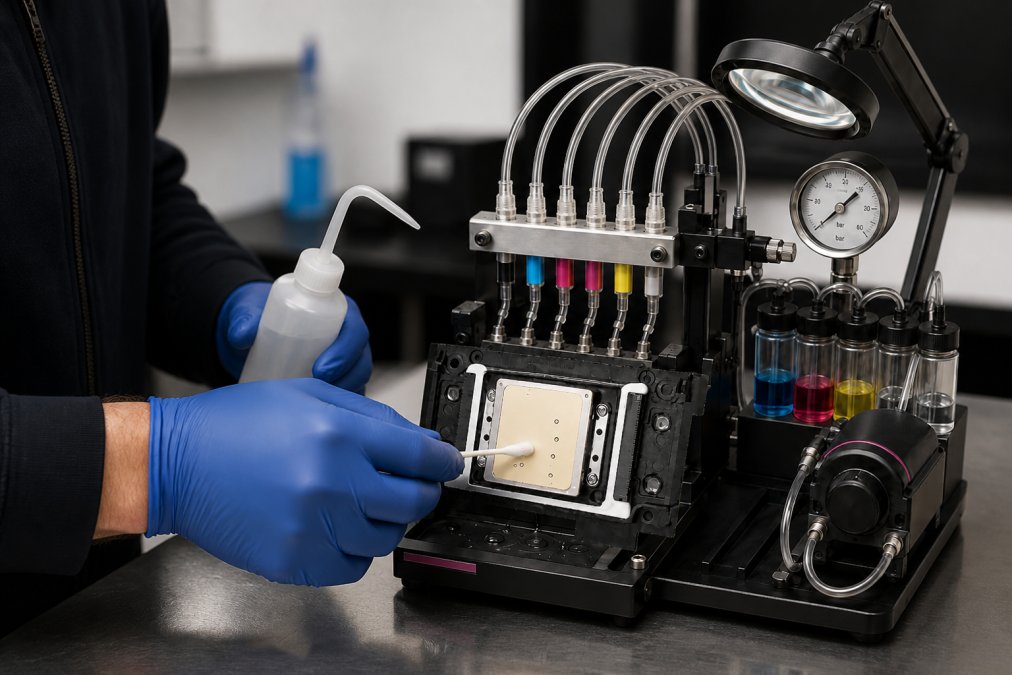
Next, clean the wiper blade. This small rubber component wipes the nozzle plate each time the carriage moves over it and accumulates ink rapidly. A contaminated wiper blade spreads dried ink across the nozzle plate rather than cleaning it. Clean it with a fresh swab and cleaning fluid, working from base to tip. If the blade is visibly deformed, cracked, or has lost its edge, replace it.
For the ink system, check the waste ink pad and waste ink tube for blockages. An overflowing waste ink system can back-contaminate the capping station and cause suction failures during cleaning cycles.
Step 3: Troubleshooting DTF Print Head Clogs
Print head clogs are the most common reason production schedules stall. Many clogs respond well to systematic treatment if you approach them correctly.
Partial clogs, where some nozzles in a channel fire but others don't, usually respond to cleaning cycles and manual flushing. Complete channel failures often indicate either a severe internal blockage, an air bubble in the ink line, or a failing damper.
Standard troubleshooting sequence:
- Run two to three standard cleaning cycles from the maintenance menu, printing a nozzle check between each
- If no improvement, run a power cleaning cycle
- If channels remain blocked, manually flush the affected ink line using a cleaning syringe at the damper inlet
- Recheck the capping station seal: a weak seal means the cleaning cycle cannot generate adequate suction
- If white ink channels are affected, agitate the white ink supply and run the ink circulation system if your machine has one
White ink settles rapidly and clogs more aggressively than CMYK inks (peer-reviewed research). Machines left idle for more than 48 hours without running a white ink circulation cycle are at significant risk of partial or complete white channel failure.
When a Standard Clean Isn't Enough
Running excessive cleaning cycles in an attempt to force a blockage clear wastes ink and can force contaminated ink further into the printhead channels, worsening the blockage. If three power cleaning cycles have not restored the nozzle pattern, the printhead likely needs professional intervention. Laserprints offers a Printhead Cleaning Service from £24.99, where a qualified engineer carries out a thorough assessment before using specialist cleaning techniques to recover ink flow and restore as many blocked nozzles as possible.
Step 4: Check and Replace Industrial DTF Printer Spare Parts
Knowing which parts wear out on a predictable cycle and replacing them before they fail prevents recurring issues.
The components that need regular inspection:
- Cap top seals
- Wiper blades
- Ink dampers
- Waste ink tubes and connectors
- Encoder strip (inspect for ink contamination)
- Carriage belt tension
Cap Tops, Dampers, and Wiper Blades
These three components form the core of any DTF printer's maintenance system and are the ones most likely to cause recurring print quality issues when worn.
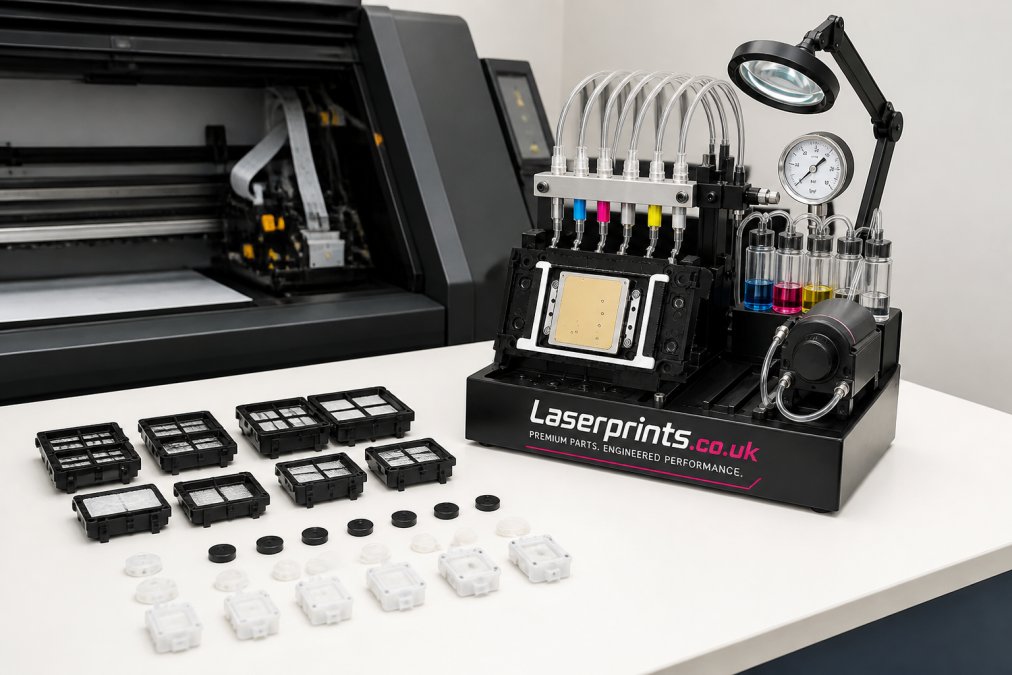
Cap top seals form the airtight seal around the printhead nozzle plate when the carriage is parked. A worn or deformed cap top cannot generate the suction pressure needed for effective cleaning cycles. Laserprints stocks replacement cap top seals for the most common industrial DTF printhead configurations:
- I3200 Printhead Cap Top Seal (Portrait Fitting) at £14.99
- I3200 Printhead Cap Top Seal (Landscape Fitting) at £14.99
- XP600 Printhead Cap Top Seal at £8.32
- L1800 / R1390 Printhead Cap Top Seal at £12.49
- L800 / L805 Cap Top at £8.32
Ink dampers regulate ink flow from the supply to the printhead and filter contaminants before they reach the nozzle plate. A failing damper allows air into the ink line, causing intermittent nozzle dropout and ink starvation. The I3200 DTF Ink Damper is available at £12.49. Replacing dampers on a scheduled basis is far cheaper than the printhead damage that contaminated ink can cause.
DTF Printer Maintenance Schedule: Daily, Weekly, and Monthly Tasks
A structured DTF printer maintenance schedule is the single most effective way to prevent unplanned downtime.
| Task | Frequency | Approx. Time |
|---|---|---|
| Run nozzle check and print test | Daily (start of shift) | 5 minutes |
| Run standard cleaning cycle if nozzles are missing | Daily (as needed) | 5-10 minutes |
| Agitate and circulate white ink | Daily | 2 minutes |
| Clean wiper blade | Weekly | 10 minutes |
| Clean capping station interior | Weekly | 15 minutes |
| Check waste ink pad/tube | Weekly | 5 minutes |
| Inspect ink dampers for air or discolouration | Monthly | 20 minutes |
| Replace cap top seals | Every 3-6 months (or on condition) | 30 minutes |
| Full ink system flush and damper replacement | Every 6 months | 60-90 minutes |
| Full engineer service | Annually (or after major fault) | Half day |
Machines running two or three shifts per day will need to move most of these intervals forward. A machine producing 500 transfers per day is under significantly more stress than one running occasional short runs.
Common Mistakes to Avoid When You Service Industrial DTF Printers
The most expensive DTF printer repairs we see at Laserprints are almost always the result of avoidable errors.
Running too many cleaning cycles without diagnosing the root cause. If three cycles haven't improved the nozzle pattern, the problem is not going to be solved by running ten more. You need to investigate the capping station, dampers, and ink lines rather than continuing to flush ink through a system that isn't working.
Ignoring white ink management. White ink settles and clumps rapidly. Many operators neglect daily white ink agitation, and the results are predictable blockages.
Using the wrong cleaning fluids. Not all printhead cleaning fluids are compatible with all ink systems. Using a sublimation cleaning fluid on a DTF system can cause permanent damage to the nozzle plate and rubber seals.
Skipping the post-service nozzle check. A service that isn't verified is a service that may not have worked. Always print a nozzle check after completing any maintenance procedure.
Delaying spare parts replacement. A worn cap top or degraded damper costs a few pounds to replace. The printhead damage they can cause costs considerably more.
When to Call a Professional Engineer
Some faults are beyond the scope of in-house servicing, and recognising that boundary is a sign of good operational judgement.
Call a professional engineer when:
- Nozzle recovery has not improved after a full cleaning sequence, cap top replacement, and damper replacement
- The machine is generating error codes that cannot be cleared through the standard maintenance menu
- There is visible physical damage to the carriage, encoder strip, or print head assembly
- Ink is leaking internally and the source is not immediately identifiable
- The machine has been idle for an extended period and will not initialise correctly
Laserprints provides several options depending on the nature and severity of the fault. The Remote Support Service at £24.99 covers software-related faults, RIP configuration issues, and guided troubleshooting via secure remote access. For machines that can be transported, the In-House Machine Repair Service starts from £100.00 and includes a full inspection, fault diagnosis, and test prints. Where the machine cannot be moved, the Call-Out Service sends a qualified engineer to your site from £125.00.


As the Machinery Directive guidance published by the UK Health and Safety Executive makes clear, certain fault categories on industrial equipment should only be addressed by competent engineers. Attempting complex electrical or mechanical repairs without the right training and equipment can void warranties, create safety risks, and cause secondary damage that significantly increases the overall repair cost. Getting expert eyes on a problem at the right moment is what keeps production schedules intact.
Frequently Asked Questions
Q: How often should I perform maintenance on an industrial DTF printer?
A: The frequency depends on print volume. At minimum, run a nozzle check and wipe down the capping station daily before production starts. Weekly tasks include cleaning the wiper blade, checking dampers for air bubbles, and agitating white ink. Monthly, inspect cap top seals for wear and replace any parts showing deterioration. High-volume operations printing eight or more hours daily should treat weekly tasks as daily tasks to prevent ink build-up and nozzle blockages.
Q: What are the most common causes of DTF printer head clogs?
A: White ink is the primary culprit, as its pigment settles and thickens quickly when the machine sits idle. A worn or poorly sealing cap top is another frequent cause: if the capping station fails to form an airtight seal when the carriage is parked, ink dries on the nozzle plate overnight. Air entering the ink system through a failing damper also triggers missing nozzles. Infrequent use combined with no automatic cleaning cycles accelerates all of these problems.
Q: What spare parts should I keep in stock for my DTF printer?
A: The parts most likely to need replacing on a regular basis are cap top seals, wiper blades, and ink dampers. A failed cap top seal is one of the fastest routes to a blocked printhead, so keeping a spare matched to your printhead model saves significant downtime. Replacement cap top seals for Epson I3200, XP600, L1800, L800, and L805 systems are available from Laserprints, starting from £8.32. I3200 ink dampers are also available at £12.49.
Q: Do I need professional support for industrial DTF printer repairs?
A: Routine cleaning and minor part replacements can be carried out in-house with the right tools and parts. However, persistent nozzle loss after multiple cleaning cycles, ink starvation, carriage errors, or any electrical fault should be handled by a qualified engineer. Attempting complex repairs without the correct diagnostic equipment often causes further damage and higher costs. Laserprints offers remote support from £24.99, an in-house repair service from £100, and an on-site call-out service from £125.
Unplanned downtime on an industrial DTF printer is one of the most disruptive events a print production business can face. Laserprints specialises in getting machines back to full working order quickly, with expert repair and servicing, a comprehensive range of spare parts including cap tops, dampers, and wiper blades, and remote support for software and configuration issues. Get started with Laserprints and keep your production running without interruption.
This article was written using GrandRanker