

Table of Contents
- Epson DTF Printer Printheads: The Component That Decides Your Uptime
- What Fails First on an Epson DTF Printer
- Epson DTF Printer Printhead Options Compared
- DTF Printer Maintenance Tips That Prevent Printhead Failure
- Professional DTF Workspace Setup for High-Volume Production
- When to Call DTF Printer Repair Services
- Verdict: Is an Epson DTF Printer Worth the Running Costs?
- Frequently Asked Questions
Last Updated: 15 September 2026
Epson DTF Printer Printheads: The Component That Decides Your Uptime
The Epson DTF printer lives or dies by one component: the printhead. Everything else, the chassis, the feed system, the curing unit, can be repaired or replaced on a predictable schedule. The printhead is the part that decides whether your production line runs tomorrow morning.
This guide from Laserprints covers the printhead options available for Epson-based DTF systems, what actually fails first, and how to keep machines running. We work on these engines daily.
A worn or blocked printhead shows up as missing nozzles, colour loss, banding, or complete loss of an ink channel. By the time you see banding on a finished transfer, the damage has usually been building for weeks. The Epson DTF printer is unforgiving that way.
Below, we compare the four printhead platforms we stock, what each costs, and which machine each one fits.
What Fails First on an Epson DTF Printer
The printhead fails first, almost every time. It is the most electrically and mechanically stressed component in the machine, and it sits closest to the ink.
Three failure modes account for most downtime:
- Nozzle clogging from ink drying in the channels during idle periods
- Electrical damage to the head board or cables, often from incorrect voltage or a bad connection
- Physical wear to the nozzle plate from contact with media or debris
A failing printhead rarely dies cleanly. It degrades: one nozzle drops out, then a row, then a channel. Operators compensate by increasing passes, which masks the problem until quality collapses entirely.
Epson DTF Printer Printhead Options Compared
Four printhead platforms cover the vast majority of Epson-based DTF machines. The right choice depends entirely on what your printer's mainboard and firmware were built for.
| Printhead | Nozzles | Nozzle Rows | Print Width | Price |
|---|---|---|---|---|
| I3200-A1 | 3,200 | 8 | 33.8 mm | £666.66 |
| I1600-A1 | 1,600 | 4 | 33.8 mm | £458.32 |
| XP600 F1080-A1 | 1,080 | 6 | 25.4 mm | £208.33 |
| L1800 | Micro Piezo | - | - | £183.33 |
The I3200-A1 is the highest-output option here. It uses Epson PrecisionCore MicroTFP technology with 3,200 nozzles across eight rows, which means more ink per pass and faster production (For Business | PrecisionCore - Overview). It is the right pick for high-volume shops running multi-head configurations. The drawback is price: at £666.66, it is the most expensive head on this list, and it demands correct voltage and clean cabling or you will destroy it on installation.

The I1600-A1 sits in the middle. Same 33.8 mm print width as the I3200, but 1,600 nozzles across four rows. For shops that do not need maximum throughput, it is the sensible compromise at £458.32.
The XP600 F1080-A1 is the budget workhorse. At £208.33 with 1,080 nozzles across six rows and support for up to six ink channels, it suits smaller DTF systems and shops testing the water. Expect lower output and shorter service life under heavy daily use.
The L1800 is the entry point at £183.33. It uses Epson Micro Piezo technology and is also found in Epson 1390, 1400 and 1410-based systems. It is a good fit for low-volume production or as a spare.
Which Printhead Fits Which Machine
Printhead compatibility is not interchangeable, even within the same family. I3200-based DTF printers vary significantly between manufacturers in mainboards, head boards, cables, firmware, ink configurations and operating parameters.
Before ordering, confirm three things: your printer model, your existing printhead model, and a photograph of the current printhead or machine identification plate. Getting this wrong is expensive. Printheads are sensitive electronic components, and incorrect installation, incorrect voltages, damaged cables or incompatible printer settings can cause permanent damage.
DTF Printer Maintenance Tips That Prevent Printhead Failure
Daily discipline prevents most printhead failures. The shops with the lowest downtime are not the ones with the best machines; they are the ones with the most consistent routines.
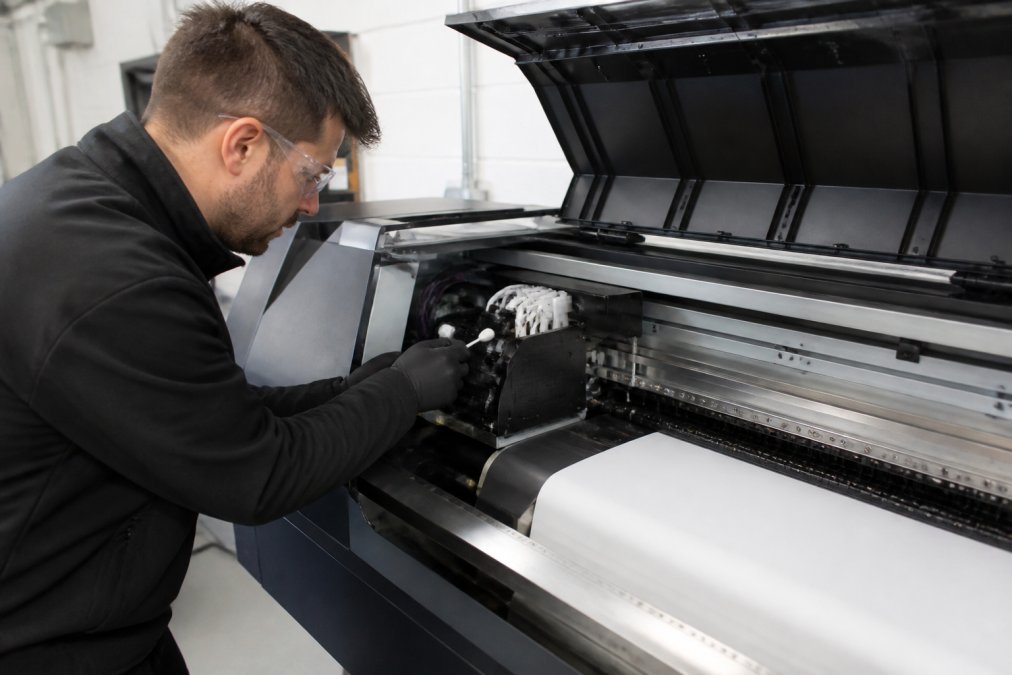
What works, in order of impact:
- Print daily. Idle time is the single biggest killer. A short daily print cycle keeps ink moving through the channels.
- Clean the capping station and wiper. Ink build-up here transfers back onto the nozzle plate.
- Check the capping seal. A worn seal lets ink dry on the head overnight.
- Control the environment. Dust and high humidity accelerate clogging.
- Store spare heads correctly. A printhead left uncapped and dry is scrap (FAQ Article Page).
Professional DTF Workspace Setup for High-Volume Production
A professional DTF workspace setup is the difference between a shop that scales and one that fights the same problems every week. High-volume production punishes poor layout.
Start with environmental control. DTF print rooms need stable temperature and low dust. A dedicated room with filtered air beats an open corner of a warehouse every time.
Then address workflow. Film feed, printing, powder application and curing should flow in one direction without backtracking. Operators who cross the room between steps lose hours across a week and increase handling damage.
Power is the part most shops get wrong. Printheads are electrically sensitive, and unstable supply or shared circuits cause intermittent faults that look like head failure but are not (Maintaining electrical equipment safety). A dedicated, stable supply with proper earthing removes a whole category of mysterious problems.
Finally, plan for maintenance access. If you cannot reach the capping station and carriage without dismantling the machine, routine cleaning will not happen, and printhead life will suffer.
When to Call DTF Printer Repair Services
Call for repair the moment you see a fault you cannot clear with a standard clean cycle. The economic case is straightforward: a printhead left running in a degraded state often takes the head board or cables with it, turning a head replacement into a much larger repair.
Signs it is time to call:
- Nozzle checks that do not recover after two or three cleaning cycles
- A channel that has dropped out entirely
- Electrical faults, error codes or unexpected head behaviour
- Banding that persists after calibration
- Physical damage to the nozzle plate
At Laserprints, we handle repair and servicing across laser, DTF and UV print engines, supply spare parts, and provide remote support, so a single call covers the whole floor rather than three separate contractors. Quick response times matter when a machine is sitting idle and orders are stacking up.
Verdict: Is an Epson DTF Printer Worth the Running Costs?
Yes, with one condition: you have to treat the printhead as a consumable with a maintenance schedule, not a part that lasts forever. Shops that accept this run Epson DTF printers profitably for years. Shops that do not spend their time chasing banding and missing nozzles.
The running cost is dominated by printheads and ink, not the machine itself. Choosing the right head platform for your volume keeps that cost predictable.
Frequently Asked Questions
Which Epson printhead models are used in DTF printer conversions?
Most Epson-based DTF systems run on one of four printhead platforms: the I3200-A1 with 3,200 nozzles across 8 rows, the I1600-A1 with 1,600 nozzles across 4 rows, the XP600 F1080-A1 with 1,080 nozzles across 6 rows, and the L1800 with Micro Piezo technology. All four are available as direct replacements from Laserprints, priced from £183.33 to £666.66. Confirm your existing printhead model before ordering, because mainboards, head cables and firmware vary between printer manufacturers.
Do Epson DTF printers need specific maintenance to prevent printhead clogging?
Yes. DTF inks contain pigment and adhesive particles that settle when the machine sits idle, so a daily nozzle check and a short print pass matter more than any weekly deep clean. Keep the capping station clean, store ink at stable room temperature, and never leave a printhead uncapped overnight.
How much does a replacement Epson DTF printhead cost?
Replacement printheads from Laserprints start at £183.33 for the L1800, £208.33 for the XP600, £458.32 for the I1600-A1 and £666.66 for the I3200-A1. That is the part cost only. If a technician callout is needed, factor in labour and the production hours lost while the machine is down, which usually outweighs the printhead price on a high-volume line.
Can I replace the printhead myself, or should I book DTF printer repair services?
Printheads are sensitive electronic components. Incorrect voltages, damaged head cables or incompatible printer settings can destroy a new printhead on first power-up, doubling your cost. If you have the correct service manual, anti-static precautions and a proven procedure, self-fitting is viable. Otherwise, book repair services and have the technician check the capping station, dampers and cabling at the same time, so the new head is not damaged by the fault that killed the old one.
What should a professional DTF workspace setup include to reduce downtime?
A stable, dust-controlled room with a dedicated circuit for the printer, a curing oven or heat press positioned within easy reach, and a powder shaker with adequate extraction. Keep film storage flat and away from humidity, and leave clear access to the printhead carriage for daily checks. Workspaces built around the maintenance routine, rather than around the printer alone, see fewer unplanned stoppages.
Downtime is the real cost of owning a DTF printer, and it is almost always a printhead problem you could have caught earlier. Laserprints specialises in resolving operational downtime for print businesses, with expert repair and servicing across laser, DTF and UV print engines, a full range of spare parts including the I3200, I1600, XP600 and L1800 printheads, and remote support when you need a diagnosis fast. Get started with Laserprints and keep your production running.