

Table of Contents
- Why DTF Printer Maintenance Decides Your Uptime
- The DTF Printer Daily Maintenance Checklist
- How to Clean a DTF Printhead Without Damaging It
- DTF White Ink Circulation Guide for Production Shops
- Troubleshooting DTF Printing Issues Before You Call an Engineer
- Parts, Servicing and When to Book an Engineer
- Frequently Asked Questions
Last Updated: September 13, 2026
Why DTF Printer Maintenance Decides Your Uptime
A blocked nozzle at 7am can cost a production shop an entire day's output, and in most cases the cause traces back to maintenance that was skipped rather than a part that failed. DTF printer maintenance is the scheduled cleaning, ink circulation and inspection routine that keeps a direct-to-film machine printing consistently, and it decides whether your press runs five days a week or five hours. This guide from Laserprints covers the daily checks, printhead cleaning methods, white ink circulation and troubleshooting steps that production managers use to protect uptime.

The uncomfortable truth is that DTF machines rarely fail suddenly. They degrade. White ink settles, cap tops dry out, and a carriage that parks slightly off-centre slowly starves the nozzles. By the time output looks wrong, the problem has usually been building for days.
Below, we'll show you exactly how to structure a maintenance routine that catches those failures early. Laserprints specialises in repair, maintenance and spare parts for professional-grade laser, DTF and UV print engines, so the advice here comes from the workshop floor rather than a manual.
The DTF Printer Daily Maintenance Checklist
A DTF printer daily maintenance checklist is a fixed sequence of start-of-shift and end-of-shift tasks that takes under fifteen minutes per machine and prevents the majority of avoidable faults (hse.gov.uk). Running the same steps in the same order every day matters more than the individual tasks themselves.
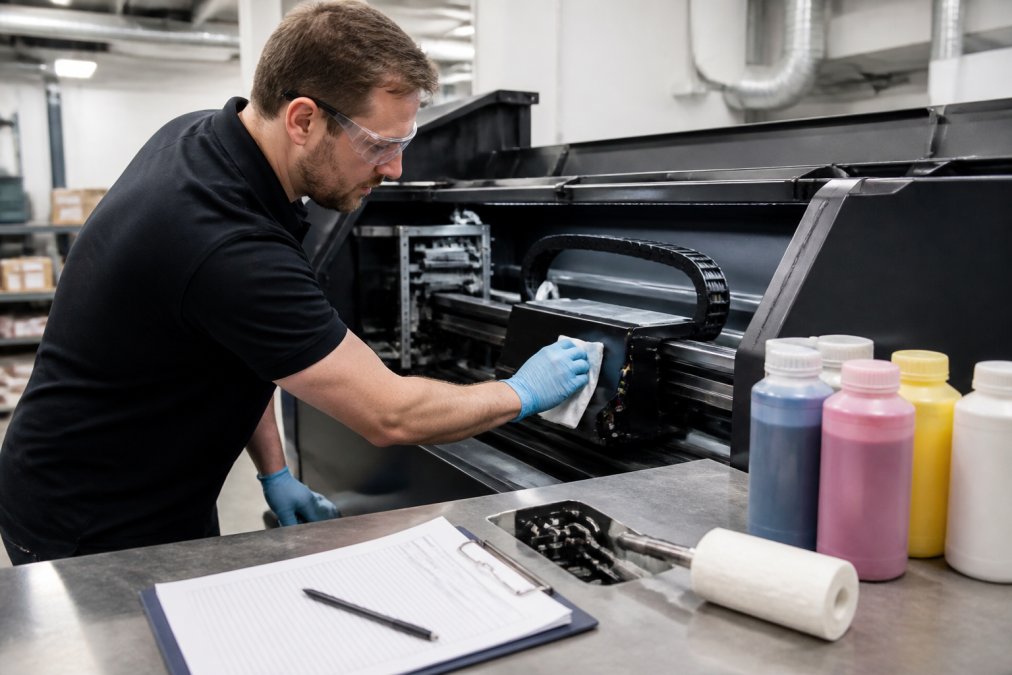
Start-of-Shift Checks
Begin with a nozzle check print before you load any film. A common mistake is starting a long run and discovering a deflected nozzle three metres into a roll.
- Run a nozzle check and log the result
- Confirm white ink has circulated overnight
- Wipe the capping station and check the cap top seal
- Check waste ink bottle level
- Verify humidity sits within the machine's stated range
End-of-Shift Checks
Park the carriage properly and cap the printhead. Leaving the head uncapped overnight is the single fastest way to dry out nozzles (bsigroup.com).
- Clean the wiper blade and capping station
- Run a short white ink circulation cycle
- Cap and park the carriage correctly
- Record any nozzle dropout in the maintenance log
How to Clean a DTF Printhead Without Damaging It
To clean a DTF printhead safely, use a lint-free swab dampened with the correct cleaning fluid, wipe the nozzle surface in one direction only, and never touch the nozzle plate with dry tissue. The most common mistake is scrubbing back and forth, which drags dried ink into the nozzles rather than removing it.
Manual cleaning is only appropriate for light surface contamination. If the head has been sitting with dried ink, or if multiple nozzle rows are missing after two cleaning cycles, the blockage is internal and further swabbing will not shift it. That is the point where a professional clean pays for itself.
Laserprints offers a Printhead Cleaning Service at £49.99, where an engineer assesses the head and uses specialist techniques to recover ink flow and restore as many blocked nozzles as possible. It is a far cheaper route than replacing a head because of impatience.
DTF White Ink Circulation Guide for Production Shops
White ink circulation is the maintenance task that separates shops with reliable DTF output from shops that fight the machine every week. White pigment is dense, and it settles when it stops moving.
The routine is straightforward. Agitate the white ink cartridge or bag gently before fitting, keep circulation cycles running on the manufacturer's schedule, and never let a machine sit idle for days without a circulation cycle. On machines with a white ink recirculation pump, confirm the pump is actually running, because a silent pump looks identical to a working one on the panel.
What most guides miss is that circulation frequency should scale with ambient temperature. A cold workshop in winter thickens the ink and demands more frequent agitation than a warm summer unit. Adjust your schedule seasonally rather than running the same cycle count all year.
If you are running several engines across one site, a single support arrangement saves a great deal of admin. Laserprints handles laser, DTF and UV print engines under one roof, which means one contact rather than three.
Troubleshooting DTF Printing Issues Before You Call an Engineer
Most DTF printing faults fall into a small number of categories, and working through them systematically saves a call-out. Start with the simplest explanation before assuming a hardware failure.
| Symptom | Likely Cause | First Action |
|---|---|---|
| Missing nozzle rows | Dried ink or air in the line | Nozzle check, then cleaning cycle |
| White ink separation | Settled pigment | Agitate cartridge, run circulation |
| Banding across the print | Dirty encoder strip | Clean strip with lint-free cloth |
| Ink pooling on film | Over-saturation or head height | Check settings and head gap |
| Poor transfer adhesion | Powder or curing issue | Review powder application and cure |
If two cleaning cycles and a fresh nozzle check do not resolve the fault, stop. Continuing to run cleaning cycles wastes ink and can pull air into the system. At that stage the problem is usually mechanical or electrical, and diagnosis needs proper equipment.
For software-side faults, settings conflicts and configuration problems, a Remote Support Service at £24.99 lets an engineer diagnose and guide you through the fix without waiting for a site visit.

Parts, Servicing and When to Book an Engineer
Consumable parts wear on a predictable schedule, and replacing them before they fail is the cheapest maintenance you can buy. Cap top seals are the clearest example: they are inexpensive, they sit at the heart of the capping system, and a worn seal lets the printhead dry out overnight.
The I3200 Printhead Cap Top Seal Portrait Fitting at £14.99 is a genuine replacement for Epson I3200 printheads in portrait-style configurations. When the carriage parks, it forms a seal around the underside of the printhead to protect the nozzle surface and stop ink drying. A degraded seal undermines every other maintenance task you perform.
Book an engineer when a fault survives your daily checks and two cleaning cycles, when the machine reports an error you cannot clear, or when print quality declines steadily despite correct maintenance. Laserprints offers a Call-Out Service at £125.00, where a qualified engineer attends your site, diagnoses the fault, tests components and repairs the machine during the visit where possible.

If you can deliver the machine yourself, an In-House Machine Repair Service at £100.00 covers full inspection, fault diagnosis and servicing at the workshop. For shops running multiple engines, that flexibility matters.
Frequently Asked Questions
How often should I perform maintenance on my DTF printer?
Daily maintenance takes 10 to 15 minutes: check ink levels, run a nozzle check, wipe the capping station and confirm white ink circulation is running. Weekly tasks include cleaning the capping station and wiper blade and checking the cap top seal for wear. Monthly, inspect tubing, filters and the printhead carriage. Skipping daily checks is the fastest route to a clogged printhead and unplanned downtime, so build the routine into shift handovers.
What are the most common causes of DTF printhead clogs?
Dried ink left on the nozzle plate after the carriage parks is the main cause, followed by a worn or dirty cap top seal that fails to keep the printhead airtight. White ink settles faster than CMYK, so poor circulation accelerates blockages. Dust from transfer film, low humidity and leaving the printer idle for days without a nozzle check all contribute. Regular cleaning and a sound cap top seal prevent most clogs before they start.
What should I do if my DTF printer has been sitting idle for a week?
Before printing, check the capping station and cap top seal for dried ink, then run a nozzle check to see which channels are affected. Perform a normal clean, followed by a nozzle check again. If gaps remain, leave the printhead soaking on the cap for 20 to 30 minutes and repeat. Only escalate to a power clean if two gentle cycles fail. If the head is still blocked, a printhead cleaning service can recover partially blocked nozzles without a full replacement.
Why is white ink circulation critical for DTF printer health?
White ink uses heavier titanium dioxide pigment that settles quickly when stationary. Without circulation, pigment drops out of suspension, blocking lines, dampers and the printhead itself. Most DTF printers run automatic circulation cycles, but these only work if the printer stays powered and the ink lines are free of air. Check circulation daily, top up white ink regularly and never let the white channel sit idle for long periods.
What cleaning solutions are safe for professional DTF printheads?
Use only cleaning fluid formulated for your printhead model, typically a dedicated DTF or eco-solvent cleaning solution. Never use tap water, alcohol-based solvents, acetone or household glass cleaner, as these can damage the nozzle plate coating and internal seals. Apply fluid with a lint-free swab or cleaning wipe on the capping station and wiper blade, not directly on the nozzle plate. If you are unsure which fluid suits your head, ask your service provider before you touch it.
When should I book an engineer instead of troubleshooting myself?
If two gentle cleaning cycles and a 30-minute soak do not restore the nozzle check, stop. Repeated power cleans waste ink and can shorten printhead life. Book a call-out when the machine shows persistent banding, missing channels, error codes or ink leaks that return after cleaning. For software faults, a remote support session at £24.99 often resolves configuration issues in under an hour. For DTF or UV printers you can deliver to a workshop, an in-house repair at £100.00 gives a full inspection and diagnosis.
Downtime in a print shop is rarely caused by one dramatic failure. It is caused by small maintenance tasks that got postponed until the machine stopped. Laserprints exists to prevent exactly that, with expert repair and servicing across laser, DTF and UV print engines, genuine spare parts held for fast dispatch, remote support for software faults, and rapid response when a breakdown cannot wait. Get started with Laserprints and keep your production schedule uninterrupted.