

Table of Contents
- Quick Comparison: DTF Ink and Film Supplies at a Glance
- What to Look for in DTF Ink and Film Supplies for Print Shops
- DTF Inks: CMYK and White Options That Deliver Consistent Results
- DTF Film and Adhesive Powder: The Transfer Essentials
- Spare Parts That Keep Your DTF Printer Running
- DTF Printer Maintenance Schedule: How to Avoid Downtime
- Troubleshooting DTF Print Quality Issues: A Practical Guide
- Professional DTF Workspace Setup: Getting the Basics Right
- Frequently Asked Questions
Last Updated: September 20, 2026
Quick Comparison: DTF Ink and Film Supplies at a Glance
Choosing the best DTF ink and film supplies for print shops comes down to three things: ink that flows consistently, film that releases cleanly, and spare parts you can actually get hold of. Get those right and your DTF line runs all week without a nozzle check turning into a crisis.
At Laserprints, we supply and support DTF, laser and UV print engines across the trade.
Here is how the core consumables compare before we go into detail.
| Item | Price | What It Does | Best For |
|---|---|---|---|
| DTF Ink (CMYK + White) | £19.00 per colour | Water-based pigment ink for the printed design and white underbase | Epson I3200, I1600, XP600 and DX-series printheads |
| DTF Film | £49.00 per roll | 75 micron PET carrier for ink and powder | Hot-peel production on 300mm to 600mm widths |
| DTF Powder | £15.00 | Hot melt adhesive layer | Soft, flexible transfers with strong wash durability |
| Ink Dampers | £12.49 per set | Filter and regulate ink flow to the head | Routine maintenance on XP600 and I3200 machines |
| Printhead | £208.33 | Fires ink onto the film | Replacing a failed or electrically damaged XP600 head |
The pattern is simple: cheap ink and film cost you far more in reprints than they save at the till.

What to Look for in DTF Ink and Film Supplies for Print Shops
The single biggest mistake is buying ink and film separately on price. DTF is a system, and the ink, film and powder have to be matched or the whole workflow suffers.
Ink Compatibility and Printhead Requirements
DTF ink must match your printhead platform. The common Epson-based heads in trade machines are the I3200, I1600, XP600 and compatible DX-series units.
Check three things before you buy:
- Printhead model, not just the printer brand
- Ink configuration, such as CMWWYK, which changes your damper requirements
- Current ink formulation, because mixing chemistries can block lines and filters
If you are switching formulation, the residual ink in your tanks, lines, dampers and printhead all matter. Flush properly or you will chase missing nozzles for a fortnight.
Film Specifications That Affect Production
Film thickness and coating decide how your ink lays down and how cleanly the carrier peels.
A 75 micron PET base with a double-sided matte construction and a release-coated print surface gives you a stable platform for ink and powder. Hot-peel film lets you remove the carrier while the transfer is still warm, which suits high-volume pressing. Anti-static treatment matters more than most people realise, because static drags powder across the sheet and creates speckled edges.
DTF Inks: CMYK and White Options That Deliver Consistent Results
Consistency is the whole game with DTF ink. Colour drift between batches means reprinting jobs you have already invoiced.
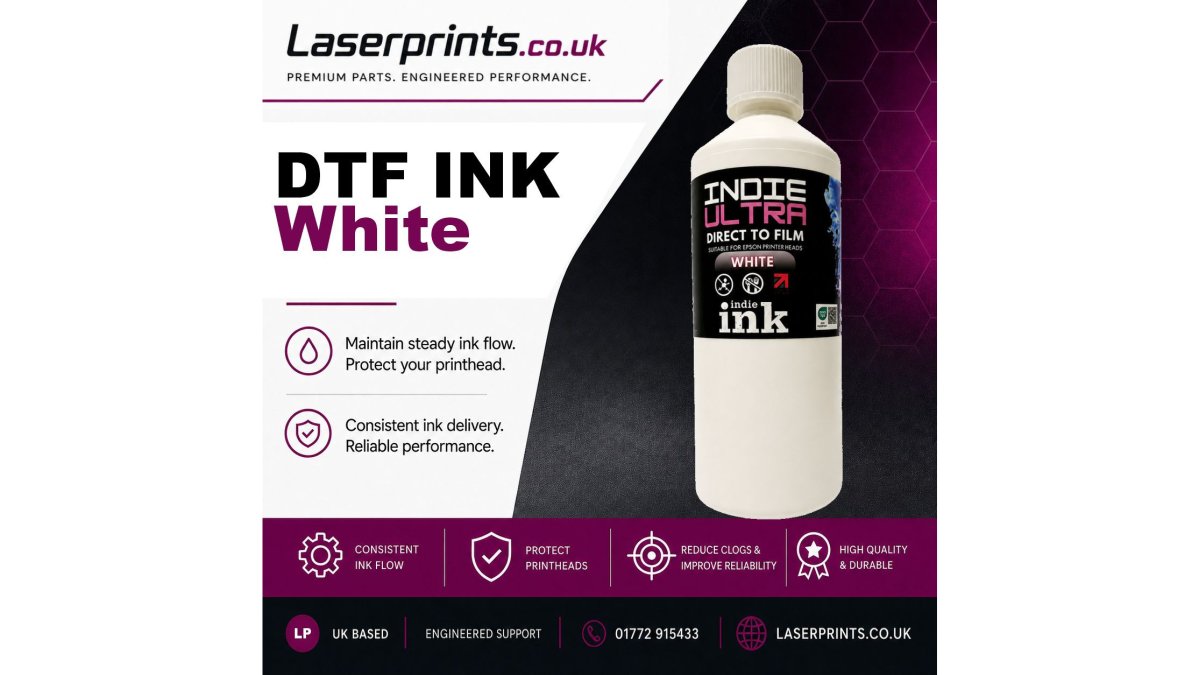
Water-based pigment inks designed for Epson-based heads give you reliable flow and strong wash and rub fastness. Batch testing and batch numbering matter for traceability, because when a colour shifts you need to know which batch caused it.

White deserves its own attention. It provides the underbase that makes colour pop on dark garments, and it carries a high pigment concentration, so it settles. Agitate white bottles regularly and keep the printer's white ink circulation running.
DTF Film and Adhesive Powder: The Transfer Essentials
Powder is where most adhesion failures begin. The hot melt adhesive bonds the printed ink layer to the garment, and if coverage or curing is off, edges lift in the wash.
Look for OEKO-TEX approved powder if you are printing for apparel clients who ask about skin contact. Coverage should be even across the whole design, with no bare patches and no heavy drifts at the edges.

As a starting point, Indie Ink recommends curing powdered transfers at approximately 110°C for 130 seconds, then pressing at approximately 160°C for 15 to 20 seconds at medium pressure. Treat those as starting points, not gospel, because your film, ink, curing equipment and garment all shift the ideal settings.
For film, the recommended starting press setting is around 160°C for 15 seconds. Again, adjust to your own workflow.
Spare Parts That Keep Your DTF Printer Running
Downtime rarely comes from a dramatic failure. It comes from a £12 part you did not have on the shelf.
Dampers regulate ink supply and filter contaminants before ink reaches the head. A blocked or worn damper causes ink starvation, air in the system, missing nozzles and banding. Keep a spare set for each machine platform.
The printhead itself is the critical component. The XP600 F1080-A1 runs 1,080 nozzles across six rows and supports up to six ink channels, with a 25.4 mm effective print width.
| Spare Part | Price | Fits | When to Replace |
|---|---|---|---|
| XP600 DTF Ink Damper | £12.49 (set of 6) | Epson XP600, CMWWYK config | Blockage, air ingress, ink starvation |
| I3200 DTF Ink Damper | £12.49 (set of 4) | Epson I3200 systems | Missing nozzles, inconsistent flow |
| XP600 Printhead | £208.33 | XP600 / F1080-A1 machines | Electrical failure, permanent channel loss |
DTF Printer Maintenance Schedule: How to Avoid Downtime
A DTF printer maintenance schedule is a fixed routine of daily, weekly and monthly checks that keeps ink moving, nozzles clear and powder where it belongs. Print shops that follow one lose far fewer production hours than those that only react when something breaks.
Here is a schedule you can adopt this week:
- Daily: run a nozzle check and a white ink circulation cycle
- Daily: wipe the capping station and check the wiper blade
- Weekly: inspect dampers for air bubbles or discolouration
- Weekly: clean the encoder strip and check film feed alignment
- Monthly: replace dampers showing wear and check all ink lines
- Monthly: verify curing temperature with an infrared thermometer
- Quarterly: review printhead health and plan replacement stock
Troubleshooting DTF Print Quality Issues: A Practical Guide
Troubleshooting DTF print quality issues starts with matching the symptom to the stage of the process. Banding, missing nozzles, powder speckling and peeling edges each point somewhere different.
| Symptom | Likely Cause | Fix |
|---|---|---|
| Missing nozzles | Clogged head or blocked damper | Clean head, replace damper |
| Banding across the print | Partial nozzle dropout or feed issue | Nozzle check, check film feed |
| Powder speckling | Static or uneven powder application | Check anti-static film, adjust powdering |
| Edges lifting after wash | Under-cured powder or low coverage | Increase cure time, check coverage |
| Colour looks washed out | Weak white underbase | Agitate white, check white channel |
| Ink pooling on film | Incorrect film or press settings | Verify film type and press temperature |
Professional DTF Workspace Setup: Getting the Basics Right
Professional DTF workspace setup is about controlling three variables: temperature, humidity and dust. Get those under control and your consumables perform the way they were designed to.
Frequently Asked Questions
What are the key differences between premium and budget DTF inks?
Premium DTF inks such as Indie Ultra range are batch tested and batch numbered for traceability, which means consistent colour output and reliable ink flow across production runs. Budget alternatives often lack that batch testing, so you may see colour shifts between orders. Premium water-based inks also tend to offer better wash fastness and rub fastness, which matters when garments go through repeated laundering. The trade-off is cost per millilitre, but inconsistent results from cheaper ink can cost more in reprints and wasted film.
How does poor quality DTF film affect printhead longevity?
Low-grade film can shed particles or have inconsistent release coatings that cause ink to sit unevenly on the surface. When film is not thermally stabilised, it may warp during curing, leading to powder scatter and debris that finds its way into the printhead area. Over time, contaminants can block nozzles and force more frequent cleaning cycles, which puts extra strain on the printhead. Using a 75 micron PET film with anti-static treatment and a consistent release layer reduces that risk and helps maintain steady ink delivery.
How do I prevent ink clogging when switching to a new DTF ink brand?
Before introducing a different ink formulation, check the existing ink in your tanks, lines, dampers and printhead. Mixing incompatible formulations can cause pigment settling or chemical reactions that clog the system. Run a full flush with a compatible cleaning solution, replace dampers if they show signs of wear, and perform a nozzle check before production. Indie Ultra inks are designed for Epson-based printheads including I3200, I1600 and XP600, but always confirm compatibility with your specific printer model and current ink system before switching.
What should print shops look for when sourcing DTF film rolls?
Check the base film thickness, release coating consistency and peel behaviour first. A 75 micron PET film with double-sided matte construction and a medium peel force gives you a stable platform for ink and powder application. Confirm the film is thermally stabilised so it does not distort during curing, and that it carries anti-static treatment to reduce powder scatter. Roll width matters too: 300mm, 330mm, 420mm, 450mm and 600mm options let you match film to your typical transfer sizes without excessive waste.