

Table of Contents
- Why Industrial Print Engines Fail: The Root Causes
- Common Causes of Print Quality Problems
- Industrial Printer Error Codes and What They Tell You
- Industrial Printer Troubleshooting: A Step-by-Step Approach
- How Poor Industrial Print Engine Maintenance Shortens Machine Life
- Repair or Replace? Deciding on a Failing Engine
- Conclusion
- Frequently Asked Questions
Last Updated: 17 October 2026
Why Industrial Print Engines Fail: The Root Causes
Industrial print engines fail for a small number of predictable reasons, and almost all of them trace back to how the machine is run rather than bad luck. We see the same handful of faults across laser, DTF and UV systems week after week. Print engines fail when ink, substrate, environment and maintenance drift out of spec.
That is the uncomfortable truth. Most breakdowns are not sudden. They build quietly over weeks.
Below, we break down the seven causes we see most often, the error codes that point to them, and how to decide whether a failing engine is worth repairing.
Common Causes of Print Quality Problems
Print quality problems usually start with the ink delivery system, not the printhead itself. Streaks, banding and faded output are symptoms. The cause sits upstream: clogged nozzles, air in the lines, a failing damper, or a substrate that does not hold ink the way the profile expects.
A common mistake is replacing the printhead first. In practice, the head is often the victim, not the culprit.
Streaks, Banding and Faded Output
Streaks and banding point to partial nozzle blockages or inconsistent ink flow. Faded output usually means the head is starved, either through a failing damper or a weak capping station that no longer seals properly.
Check these before spending money on parts:
- Run a nozzle check and compare it to the previous one
- Inspect the cap top for ink build-up or splits
- Look for air bubbles in the ink lines
- Confirm the substrate profile matches the material loaded
- Check humidity and temperature against the ink maker's spec
Ink System and Substrate Issues
Ink and substrate problems cause more quality complaints than any mechanical fault. Out-of-date ink, incorrect profiles and poorly stored media all show up as colour shift, poor adhesion or mottling.
For UV and DTF systems, adhesion failures often trace to surface contamination or insufficient curing. For laser machines, faded engraving usually means optics need cleaning or power settings have drifted.
Industrial Printer Error Codes and What They Tell You
Industrial printer error codes are the machine's own diagnostic language, and most operators ignore them until something stops completely. Codes generally fall into four groups: ink system, motion and motor, temperature and curing, and media handling.
Read the code before you touch anything. A repeated ink system error after a head clean is a different problem from a one-off.
| Error group | Typical symptom | First check | Likely cause |
|---|---|---|---|
| Ink system | Missing nozzles, pressure faults | Cap top, dampers, lines | Blockage or air ingress |
| Motion and motor | Jerking, position errors | Belts, encoders, rails | Wear or debris |
| Temperature and curing | Weak UV cure, lamp faults | Lamp hours, cooling | Lamp ageing or airflow |
| Media handling | Skew, feed faults | Rollers, sensors | Contamination or wear |
Write every code down with the date and what the machine was doing. That log is worth more than any manual when an engineer attends.
Industrial Printer Troubleshooting: A Step-by-Step Approach
Industrial printer troubleshooting works best as a fixed sequence, not guesswork. Start with the simplest checks and work inward. Most faults resolve before you reach the printhead.
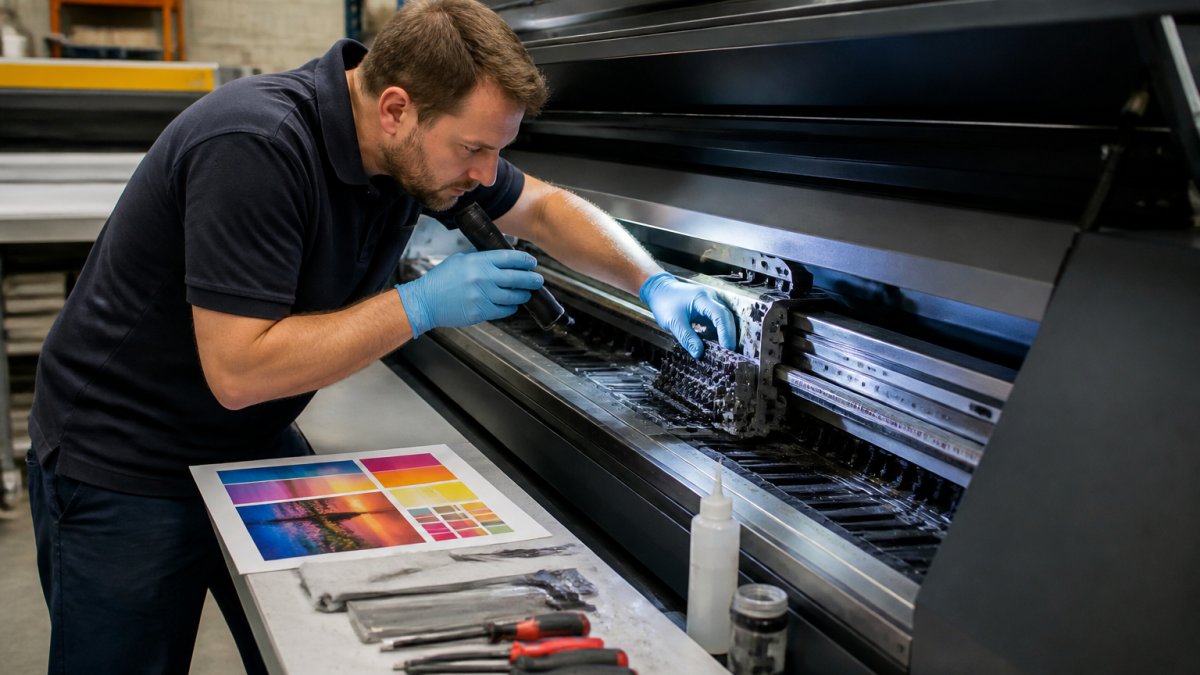
- Record the error code and the exact conditions when it appeared
- Run a nozzle check and print a test file
- Inspect cap top, wiper and capping station for ink build-up
- Check ink levels, expiry dates and line condition
- Confirm the correct profile and media settings
- Clean the encoder strip and check belt tension
- Test one change at a time and log the result
If the fault survives that sequence, it is likely hardware. That is the point to call in support rather than keep swapping parts. Our Remote Support Service lets an engineer diagnose software and workflow faults by secure remote access and live video, often within the same working day.

How Poor Industrial Print Engine Maintenance Shortens Machine Life
Poor industrial print engine maintenance is the single biggest driver of early failure, and the damage is cumulative. Neglected cap tops dry out and stop sealing. Wiper blades harden and stop cleaning. Dust builds on encoder strips until the carriage loses position.
None of these fail loudly. They fail slowly, then all at once.
A practical maintenance routine looks like this:
- Daily: nozzle check, wipe the capping area, check ink levels
- Weekly: clean the encoder strip, inspect wipers, check waste ink
- Monthly: flush lines, inspect dampers, review error logs
- Quarterly: engineer service, optics clean on laser units, full calibration
Printheads that sit idle are especially vulnerable. If a machine is not running daily, cap it properly and follow the maker's storage routine. A blocked head sent to our Printhead Cleaning Service can often be recovered, though severe internal damage may make replacement the only option.
Repair or Replace? Deciding on a Failing Engine
Repair usually wins when the fault is isolated and the machine is otherwise sound. Replace when failures are recurring, parts are scarce, or the repair cost approaches a significant share of a replacement machine.
Ask these questions before deciding:
- Is this the first major fault, or the third this year?
- Are parts still available at sensible lead times?
- Is the engine still fit for the work you are winning?
- What is the true cost of downtime versus repair?
A machine that has had two printheads and a mainboard in twelve months is telling you something. So is one that runs well but sits idle for weeks between jobs.
If the fault is mechanical and the machine can travel, our In-House Machine Repair Service covers full diagnosis, repair and test prints, usually within two to three working days of delivery. For breakdowns on site, our Call-Out Service sends a qualified engineer to diagnose and repair where possible.


Conclusion
Downtime is the real cost of a failing engine, and most of it is avoidable. The machines that run for years without drama are not luckier. They are maintained on a routine, logged properly, and repaired by people who diagnose before they replace.
That is what we do at Laserprints. We handle laser, DTF and UV print engines across the board, with expert repair, genuine spare parts and fast response times, so your production keeps moving. Get started with Laserprints and keep your print engines running.
Frequently Asked Questions
Why do industrial print engines fail?
Most failures trace back to four things: blocked or damaged printheads, ink delivery faults, electrical and power problems, and skipped maintenance. Ink left to dry in nozzles is one of the most frequent culprits, especially on DTF and UV systems that sit idle between jobs. Mechanical wear on belts, encoders and bearings also builds up quietly until print quality drops or the machine stops mid-run. Regular servicing catches these issues before they become breakdowns.
How often should industrial print engines be serviced?
It depends on duty cycle, but most production machines benefit from a scheduled service every three to six months, with daily nozzle checks and weekly cleaning in between. High-volume DTF and UV operations running multiple shifts should lean towards the shorter end. A maintenance plan costs far less than an unplanned stoppage: a printhead cleaning service starts at £49.99, while a reactive call-out is £125.00 before any parts are added.
Can poor maintenance cause print engine failure?
Yes, and it is the single most controllable cause. Neglected printheads clog permanently, dried ink damages ink lines and dampers, and dust accelerates wear on moving parts. Skipping cleaning also hides early warning signs such as misfiring nozzles, so a small fault becomes a full breakdown. Following a documented industrial print engine maintenance schedule, including regular printhead cleaning, extends machine life and keeps output consistent.
When should an industrial print engine be repaired or replaced?
Repair usually wins when the fault is isolated, such as a single blocked printhead or a failed damper, and the rest of the machine is sound. Replacement starts to make sense when repairs recur within months, parts become hard to source, or the cost of repeated downtime exceeds the price of a newer unit. Get a proper diagnosis first: a remote support session at £24.99 can confirm whether the issue is software or hardware before you commit to either path.