

Table of Contents
- 1. Daily Printhead Inspection and Nozzle Checks
- 2. Ink Damper and Delivery System Maintenance
- 3. Cap Top Seal Replacement and Capping Station Care
- Benefits of Professional Industrial Printer Repair Services
- Industrial Printer Preventative Maintenance Schedule
- Common Industrial Printer Faults and Fixes
- Conclusion: Protecting Your Print Production Investment
- Frequently Asked Questions
Last Updated: October 2, 2026
1. Daily Printhead Inspection and Nozzle Checks
The printhead is the most critical component in any industrial printer, making industrial printer maintenance essential. If it fails, your entire production line stops.
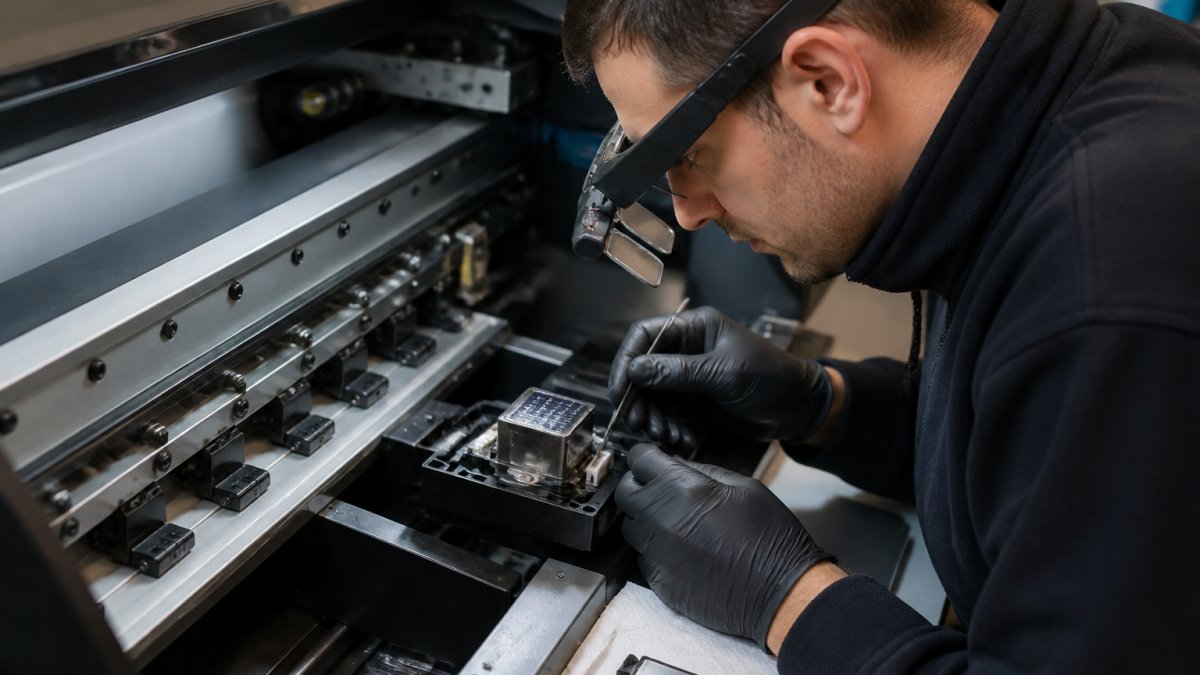
Start each morning by running a nozzle check.
Look for patterns in the nozzle check output. A few missing nozzles in one area suggests a temporary blockage.
Physical inspection matters just as much as the software test. Look at the printhead surface under magnification. Dried ink, dust, or contamination on the nozzle plate prevents proper ink ejection. Gently wipe the nozzle plate with a lint-free cloth slightly dampened with distilled water. Never use tap water, mineral content can cause new blockages. For stubborn contamination, Laserprints offers a Printhead Cleaning Service that uses specialist chemical techniques to restore blocked nozzles without damaging the delicate nozzle plate.

Check the printhead cable connections as well. A loose cable causes intermittent electrical contact, which leads to missing nozzles or complete colour loss. Reseat the cable firmly.
2. Ink Damper and Delivery System Maintenance
The ink damper regulates pressure and filters contaminants before ink reaches the printhead. A failing damper starves the printhead of ink or allows air bubbles into the system. Both scenarios destroy print quality and damage the printhead.
Inspect the damper housing for cracks or leaks. Even a tiny leak introduces air into the ink line. Press gently on the damper body, it should feel firm, not soft or spongy.
Check the ink lines for kinks, cracks, or loose connections. Follow the line from the ink reservoir to the damper to the printhead. Look for dried ink around connection points, this indicates a slow leak.
Ink colour matters for diagnosis. If the ink in the damper looks darker than fresh ink, contamination has accumulated. This happens when dust or dried ink particles enter the system.
For DTF systems using CMYK inks, Laserprints supplies the R1390 L1800 CMYK Ink Damper as a set of four dampers designed for compatible ink delivery configurations. For UV systems, the XP600 UV Ink Damper maintains consistent ink flow while filtering contaminants before they reach the printhead.
3. Cap Top Seal Replacement and Capping Station Care
The cap top seal is a small part with an enormous job. When the printhead parks between print jobs, the cap top forms an airtight seal around the nozzle plate. This seal prevents ink from drying and protects nozzles during long idle periods. A worn or damaged cap top fails to seal properly, allowing air to reach the nozzles and cause drying.
Inspect the cap top daily for visible damage. Look for cracks, warping, or ink buildup around the sealing surface.
The capping station itself needs cleaning. Dried ink accumulates inside the cap, reducing its sealing ability. Use a soft brush or cotton bud to gently remove dried ink from inside the cap.
Check the suction line that draws cleaning fluid through the cap during maintenance cycles. A blocked suction line prevents the cap from drawing ink or cleaning fluid, which means the cleaning cycle cannot function.
Laserprints stocks replacement cap top seals for common printhead types. The I3200 Printhead Cap Top Seal Portrait Fitting is designed for I3200-based DTF systems, whilst the XP600 Printhead Cap Top Seal fits XP600 printheads used in UV and sublimation applications. Replacement takes minutes and costs far less than repairing a printhead damaged by drying.
Benefits of Professional Industrial Printer Repair Services
Most production managers try to fix problems themselves first. A printhead is a sensitive electronic component, incorrect diagnosis or rough handling causes permanent damage that replacement cannot reverse.
Professional repair services provide several advantages. First, experienced engineers recognise patterns that indicate the root cause of a problem. A missing nozzle might stem from a blocked damper, air in the ink line, a failed cap top, or a damaged printhead. Each cause requires a different fix. Guessing wrong wastes time and money.
Second, professional technicians have access to specialist equipment. The Printhead Cleaning Service from Laserprints uses controlled chemical cleaning and directional flushing to recover blocked nozzles without damaging the delicate nozzle plate. This technique recovers many printheads that would otherwise require replacement.
Third, professional services provide accountability. This accountability matters when your production schedule depends on equipment reliability.
Laserprints offers three service levels to match your needs. The Remote Support Service handles software issues and simple troubleshooting via secure video connection. The Call-Out Service sends a qualified engineer to your site for fault diagnosis and on-site repairs. The In-House Machine Repair Service accepts machines delivered to the workshop for full inspection and repair, typically completed within 2-3 working days.


Industrial Printer Preventative Maintenance Schedule
Reactive maintenance, fixing problems when they occur, is expensive.
Establish an industrial printer maintenance schedule based on machine usage.
Daily tasks: Run nozzle checks on all colour channels. Inspect the printhead visually for contamination or damage.
Weekly tasks: Clean the capping station thoroughly. Check all ink lines for leaks or kinks.
Monthly tasks: Replace the cap top seal if showing wear. Inspect and clean the waste tank.
Quarterly tasks: Have a professional technician perform a full inspection. Replace any worn parts before they fail.
This schedule prevents most problems from developing.
Common Industrial Printer Faults and Fixes
Understanding common faults helps you diagnose problems quickly and choose the right fix.
Missing nozzles on one colour: This usually indicates an ink delivery problem rather than a printhead failure.
Missing nozzles across the entire printhead width: This suggests a cap top seal failure.
Colour loss or wrong colour output: Check that the correct ink cartridge is installed in the correct position.
Slow or weak ink flow: The damper may be failing or the ink line may be partially blocked.
Printhead not firing at all: Check the electrical cable connection first. Reseat it firmly.
For complex faults or faults that do not respond to basic troubleshooting, contact a professional service. Laserprints can diagnose the problem via Remote Support Service or send an engineer via Call-Out Service.
Conclusion: Protecting Your Print Production Investment
Industrial printers represent a significant investment. A DTF printer costs thousands of pounds. A laser engraving system costs tens of thousands. Protecting that investment requires consistent maintenance and swift professional repair when problems occur.
The ten checklist items covered here, from daily nozzle checks to quarterly professional inspections, form the foundation of reliable print production.
When problems do occur, professional repair services provide the expertise and accountability that in-house troubleshooting cannot match. According to research from manufacturing industry maintenance standards, planned maintenance reduces equipment downtime by up to 35% compared to reactive repair approaches.
Laserprints specialises in keeping industrial printers running. We provide expert repair services, high-quality spare parts, and rapid support for DTF, UV, laser, and sublimation printing systems.
Shop now →
| Maintenance Task | Frequency | Component Focus | Typical Cost |
|---|---|---|---|
| Nozzle check | Daily | Printhead | Free (built-in) |
| Cap top inspection | Daily | Capping station | Free (visual only) |
| Ink line check | Weekly | Delivery system | Free (visual only) |
| Damper inspection | Monthly | Ink delivery | £8-£12 (replacement) |
| Cap top seal replacement | Quarterly | Capping station | £8-£14 (replacement) |
| Professional inspection | Quarterly | Full system | £24-£125 (service fee) |
Frequently Asked Questions
How often should industrial printers be serviced?
Daily nozzle checks and visual inspections are essential for maintaining consistent print quality. Weekly cap top and damper assessments help catch early signs of wear. Monthly deep-cleaning cycles and quarterly professional servicing, including printhead assessment and ink system flushing, keep equipment running reliably. High-volume production facilities may need more frequent attention. A structured industrial printer preventative maintenance schedule prevents costly downtime and extends equipment lifespan significantly.
What are the most common causes of industrial printer failure?
Common industrial printer faults and fixes centre on printhead blockages from dried ink, damaged cap top seals that fail to protect nozzles during idle periods, and contaminated ink dampers restricting flow. Air entering the ink system causes missing nozzles and colour loss. Electrical failures in head boards and connector damage also occur. Most failures stem from neglected preventative maintenance. Early detection through daily inspections, checking for missing nozzles, inconsistent colour, and banding, prevents catastrophic damage and keeps production on schedule.
How does preventative maintenance reduce operational costs?
Regular maintenance catches wear before it causes breakdown. A blocked printhead caught during daily inspection costs £49.99 for cleaning; replacement costs £183-£666. Our Printhead Cleaning Service (£49.99) recovers most blocked nozzles within five working days. Remote Support (£24.99) diagnoses software issues without site visits. Preventative maintenance eliminates emergency call-outs (£125 minimum) and workshop repairs, protecting your production schedule and bottom line.
Why is professional maintenance essential for DTF and UV print engines?
DTF and UV printers operate under demanding conditions with specialist inks and high-speed production cycles. Professional technicians understand the specific requirements of DTF aqueous-based inks and UV systems, preventing incompatible cleaning or incorrect part installation. Our In-House Machine Repair Service (£100) includes full inspection and testing before collection. Professional care extends equipment lifespan, maintains colour accuracy, and keeps your production reliable.
What should be included in a daily industrial printer maintenance routine?
Start with visual inspection: check for ink leaks, verify the printhead parks correctly, and inspect the cap top seal for damage. Run nozzle checks to detect missing nozzles before printing. Examine the capping station for dried ink or debris. Verify ink levels and damper condition. Clean any visible dust from the print head carriage. Document findings in a maintenance log. If you spot issues, persistent missing nozzles, poor sealing, or damper blockages, book a Remote Support session (£24.99) for diagnosis or our Printhead Cleaning Service (£49.99) to restore performance.
Protecting your printing equipment is not optional, it is the foundation of reliable production. Start with daily nozzle checks and visual inspections. Move to a structured preventative maintenance schedule. When problems exceed your team's expertise, call in professionals who understand industrial printers inside and out. The investment in maintenance and professional repair services pays for itself through avoided downtime and extended equipment life.