

Table of Contents
- Why Early Laser Machine Service Matters
- Signs Your Laser Machine Needs Service: 7 Warning Signs
- Signs of Laser Tube Degradation to Watch For
- Building a Laser Cutter Maintenance Schedule
- Understanding Professional Laser Printer Servicing Cost
- When to Call an Engineer vs. Remote Support
- The Cost of Inaction vs. Planned Maintenance
- Conclusion: Prioritise Laser Machine Health
- Frequently Asked Questions
Last Updated: September 8, 2026
Why Early Laser Machine Service Matters
A laser machine that fails mid-production doesn't just stop one job; it halts your entire workflow, delays client deadlines, and forces operators into costly manual rework. The challenge is that laser systems rarely fail without warning. They degrade gradually, and the subtle signs your laser machine needs service often appear weeks before a complete breakdown occurs. Recognising these indicators early is the difference between a scheduled £125 engineer visit and an emergency repair that costs you days of lost output.
This guide covers common indicators of developing faults, explains how to read laser tube degradation, and helps you build a practical maintenance rhythm. By the end, you'll know exactly when to act and when to keep production running. A proactive approach to laser machine service protects both your equipment investment and your production schedule.
Signs Your Laser Machine Needs Service: 7 Warning Signs
Most operators can spot trouble if they know what to look for. These seven indicators are the most frequent issues our engineers encounter during call-outs, and each one points to a specific underlying problem that responds better to early intervention than emergency repair.
Inconsistent Cut or Engrave Quality
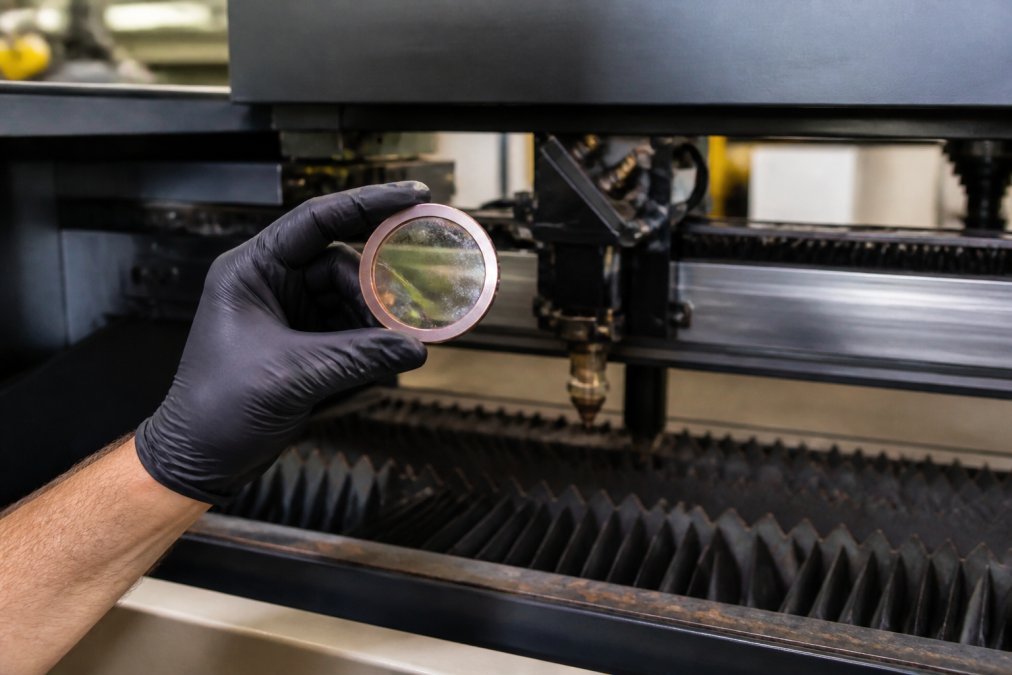
If your machine produces uneven cuts, charred edges, or engraving depth that varies across the same job, the optics or focus assembly are likely drifting out of alignment. This is one of the clearest signs your laser machine needs service because it indicates a physical component issue, not a software setting problem. Check the lens and mirrors first for contamination, then verify the focus distance hasn't shifted.
Unusual Noises or Odours
A laser machine that suddenly runs louder, squeals, or emits a burning smell is communicating a mechanical problem. Grinding sounds often point to worn bearings in the gantry or cooling fan failure, while a sharp electrical smell can signal failing components in the power supply. Never run a machine that smells hot; shut it down and book a service immediately to prevent fire risk or permanent damage to the tube and optics.

Signs of Laser Tube Degradation to Watch For
The laser tube is the heart of your system, and its decline follows a predictable pattern. Reduced cutting power at the same percentage settings is the first indicator, followed by slower cutting speeds and the need to run multiple passes on materials that previously required only one. A tube nearing the end of its life also becomes less stable, with power output fluctuating during longer jobs.
Another common sign of laser tube degradation is a visible change in the beam colour or the appearance of the discharge. A tube that has lost its vacuum or developed internal contamination will produce a weaker, less focused beam. According to guidance from the Health and Safety Executive on laser equipment safety, operators should also watch for cooling system issues, as inadequate coolant flow accelerates tube wear considerably. If you notice any combination of these symptoms, arrange a professional assessment promptly; running a failing tube stresses other components, including the power supply and optics, turning a single replacement into a multi-part repair.
Building a Laser Cutter Maintenance Schedule
Preventative maintenance follows a simple principle: small, regular checks prevent large, expensive failures. A practical laser cutter maintenance schedule divides tasks by frequency. Daily, wipe down the lens and check the cooling water level. Weekly, clean the mirrors, inspect the exhaust system for blockages, and verify the focus lens for pitting. Monthly, lubricate moving parts according to the manufacturer's specification, check belt tension, and test the emergency stop.
The table below summarises a maintenance rhythm that suits most production environments.
| Task | Frequency | Typical Time | Impact of Skipping |
|---|---|---|---|
| Lens wipe and water level check | Daily | 5 minutes | Burnt optics, tube overheating |
| Mirror cleaning and exhaust inspection | Weekly | 15 minutes | Reduced power, fire risk |
| Lubrication and belt tension check | Monthly | 30 minutes | Premature mechanical wear |
| Full optical alignment and tube test | Quarterly | 1-2 hours | Inconsistent cut quality |
| Professional service visit | Annually | Half day | Unexpected breakdowns |
Log every service and inspection. A maintenance log helps you spot degradation trends before they become failures and provides useful evidence if you need to claim under warranty.
Understanding Professional Laser Printer Servicing Cost
Cost is often the reason production managers delay booking a service, yet the professional laser printer servicing cost is modest compared with the expense of downtime. A reactive call-out at Laserprints is £125.00, which covers an engineer attending your site, diagnosing the fault, testing components, and completing the repair where possible during the visit. That single fee is frequently less than the value of one hour of halted production.
For machines that can be transported, our in-house repair service is £100.00, with typical turnaround of two to three working days. Minor issues, such as software configuration or RIP setup, can often be resolved remotely for £24.99 without any site visit. The most cost-effective approach is prevention: a scheduled service can identify worn parts before they cause further damage.

When to Call an Engineer vs. Remote Support
Not every fault requires an engineer on site. Understanding which issues respond to remote diagnosis saves both time and money. Software problems, driver conflicts, RIP configuration errors, and workflow issues are almost always resolvable remotely. A remote support session lets an engineer access your system securely, diagnose the fault, and guide you through the fix in real time, typically restoring production within the hour.

Hardware faults demand a different response. If you suspect a failing laser tube, damaged optics, electrical issues, or mechanical problems in the gantry, remote support cannot fix these. Attempting DIY repairs on high-voltage laser systems is dangerous and often invalidates your warranty. In these cases, book an engineer visit. The distinction matters: calling an engineer for a software glitch wastes money, while trying to fix a hardware fault remotely wastes time. When in doubt, start with remote support for software-related symptoms and escalate to an on-site engineer for anything involving the tube, optics, or moving parts. For printhead issues specifically, a dedicated cleaning service can often restore blocked nozzles without replacing the component, extending its working life at a fraction of the cost.
The Cost of Inaction vs. Planned Maintenance
The true cost of ignoring warning signs is rarely the repair bill; it is the lost production while the machine sits idle. A machine that fails on a Tuesday might not be back online until the following week, depending on parts availability and engineer schedules. Research from the Manufacturing Technology Association on downtime costs highlights that unplanned downtime remains one of the largest hidden expenses for production facilities. Compare that with a planned maintenance visit, where you choose the timing, the engineer arrives prepared with common spare parts, and the work is completed within a scheduled window.
Delaying action also compounds the damage. A dirty lens left unchecked will eventually crack from heat stress. A tube running with poor coolant will fail prematurely. Worn bearings will damage the rails they run on. In every case, the cost of the initial fix is far lower than the cost of the resulting repair. Planned maintenance is not an expense; it is an investment in predictable production.
Conclusion: Prioritise Laser Machine Health
Ignoring the signs your laser machine needs service is a gamble where the house always wins. The seven warning signs covered here, from inconsistent cut quality to unusual noises, are your machine's way of asking for attention. Act on them promptly, maintain a regular service schedule, and understand that professional servicing is an investment in uptime, not a cost to avoid.
When your machine does need attention, Laserprints provides the full spectrum of support: remote diagnosis at £24.99 for software issues, in-house workshop repairs at £100.00, and on-site call-outs at £125.00 for breakdowns that can't wait. Our engineers specialise in laser, DTF, and UV print engines, so you don't need to coordinate multiple suppliers. The British Printing Industries Federation's guidance on equipment maintenance reinforces that regular professional oversight extends equipment life significantly.
Get started with Laserprints and keep your production line running. Book a call-out service today and let our engineers restore your machine to peak performance.
Frequently Asked Questions
How often should a laser cutting machine be serviced?
For production environments, schedule a professional laser machine service every 3 to 6 months. Heavier usage warrants a quarterly check. Between professional visits, follow a weekly maintenance schedule covering lens cleaning, mirror inspection, and checking the cooling system. This routine prevents the gradual decline in performance that leads to unexpected breakdowns and costly downtime.
What are the common signs of a failing laser tube?
Signs of laser tube degradation include reduced cutting power, noticeably slower processing speeds, and difficulty cutting materials that were previously easy. You may also see a weaker beam or inconsistent beam delivery. As the tube ages, its ability to hold a stable charge diminishes. If you notice these issues, professional testing can confirm whether the tube needs reconditioning or replacement.
Can poor print quality indicate a need for laser machine repair?
Yes. Rough edges, charring, or incomplete cuts are direct indicators that your laser machine needs service. These symptoms often point to a misaligned beam, a dirty or damaged lens, or issues with the gas flow. Addressing these signs early, through expert repair or a structured maintenance schedule, prevents minor issues from escalating into major component failure.
What does professional laser printer servicing cost in the UK?
Professional laser printer servicing cost varies based on the service type. A remote support session starts at £24.99 for software or guidance issues. For hardware faults, an in-house workshop repair is priced at £100.00, while an on-site engineer visit is £125.00. These options provide a clear cost structure to manage repairs without hidden fees.