

Table of Contents
- The Core Difference: Keeping Equipment Running vs Elevating Operational Performance
- Preventative Maintenance for Laser Printers: The Foundation of Reliability
- Reducing Print Shop Downtime Through Strategic Planning
- DTF Printer Troubleshooting Guide: Diagnosing Common Faults
- Rapid Glitch Resolution: When to Call for Expert Support
- Building Your Maintenance Strategy: Reactive vs Proactive
- Conclusion
Last Updated: 30 August 2026
The Core Difference: Keeping Equipment Running vs Elevating Operational Performance
There's a fundamental tension in how manufacturing businesses approach their printing equipment. One strategy keeps the machines operational, you fix what breaks, replace what fails, and call it a day. The other strategy elevates operational performance, transforming how your equipment contributes to your bottom line. Understanding the difference between these approaches determines whether your print shop survives downtime or thrives despite it.
Keep equipment running means reactive maintenance. Something fails, you fix it. Your laser printer stops firing, you call an engineer. Your DTF printhead clogs, you clean or replace it. This approach is necessary, equipment will fail, but it's also expensive. Every breakdown costs you production time, rush orders, and customer confidence.
Elevate operational performance means proactive intervention. You identify problems before they become breakdowns. You optimise your workflows so equipment runs at peak efficiency. You maintain systems strategically so failures become rare events rather than regular occurrences. This isn't about working harder, it's about working smarter, with precision and foresight.
The real difference isn't philosophical. It's measurable. One approach leaves you vulnerable to downtime. The other gives you control.
Preventative Maintenance for Laser Printers: The Foundation of Reliability
Preventative maintenance is where the distinction between the two strategies becomes concrete. A laser printer that receives regular, planned maintenance operates differently from one that doesn't.
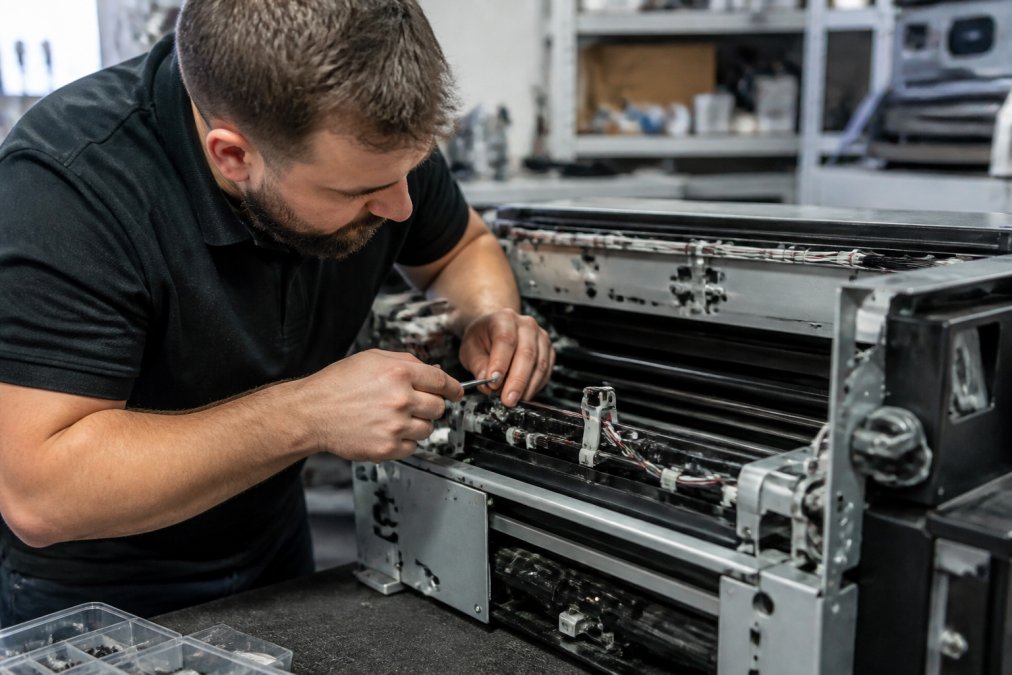
Laser printers depend on precision alignment. The beam path, mirror positioning, and lens cleanliness all affect output quality and reliability. When dust accumulates on optics, when mirrors drift even slightly, when cooling systems work harder than they should, failures cascade. A clogged air filter forces the cooling system to work overtime. That extra strain shortens component lifespan. Six months later, you're replacing a power supply that should have lasted three years (peer-reviewed research).
Preventative maintenance interrupts this chain. Regular inspection catches alignment drift before it causes quality issues. Cleaning optics before dust becomes embedded prevents optical degradation. Checking coolant levels and flow rates keeps thermal management efficient. These aren't dramatic interventions, they're systematic care.
Many print shops hesitate because preventative maintenance requires upfront time and cost. You're scheduling downtime before failure forces it. But the mathematics are straightforward: planned downtime for two hours of maintenance costs far less than unplanned downtime for eight hours of emergency repair plus lost orders.
The foundation of reliability is consistency. Equipment that receives the same maintenance schedule every quarter performs more predictably than equipment maintained only when problems appear. Your team learns the machine's behaviour. You spot anomalies earlier. You build institutional knowledge about what works.
Reducing Print Shop Downtime Through Strategic Planning
Downtime is the enemy of profitability. Every hour your equipment sits idle is an hour you're not producing revenue. Strategic planning transforms downtime from a crisis event into a managed variable.
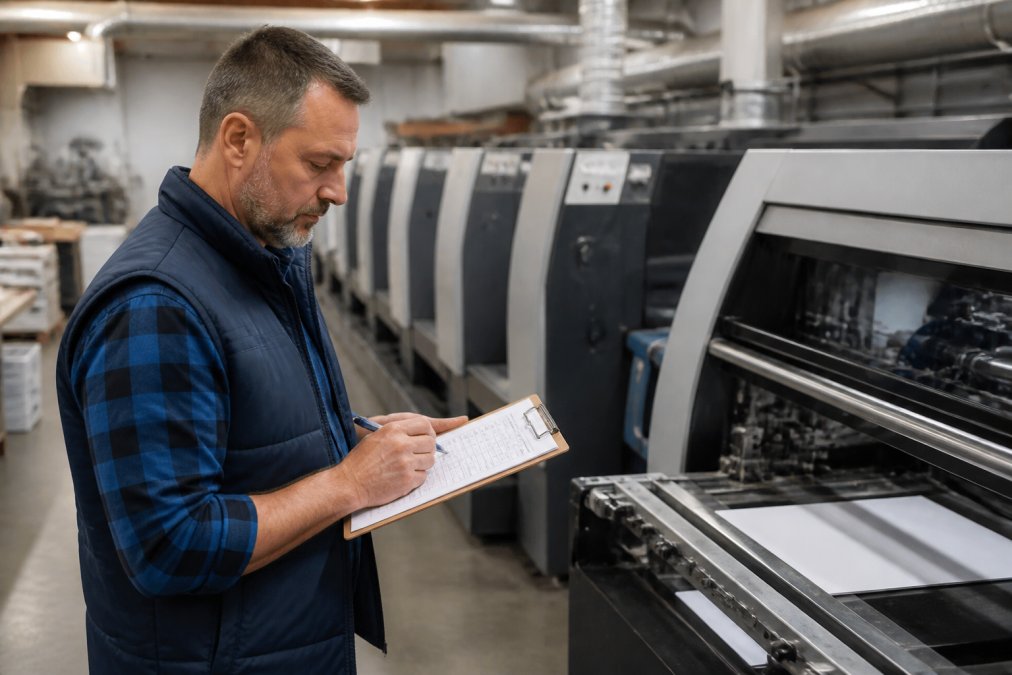
The first step is mapping your equipment dependencies. Which machines are critical path? If your laser engraver goes down, what happens to your workflow? Can you reroute work to backup equipment, or does production stop? If your DTF printer fails, how many orders are affected? Understanding these dependencies tells you where to invest preventative effort.
The second step is building redundancy where it matters most. This doesn't mean duplicating every machine, that's expensive and often unnecessary. It means identifying your critical bottleneck and ensuring you have a backup plan. Some shops maintain a second DTF printer for exactly this reason. Others partner with a neighbouring print shop for emergency overflow. The strategy depends on your volume and margin structure.
The third step is scheduling maintenance during low-demand periods. If your shop runs at 80% capacity most weeks, find the quieter periods and schedule your preventative work then. This minimises the impact of planned downtime and gives you breathing room if maintenance takes longer than expected.
The fourth step is maintaining spare parts inventory for critical components. A printhead that takes three weeks to arrive from the supplier is a disaster waiting to happen. A printhead you have on the shelf is an inconvenience. The cost difference between emergency ordering and planned inventory is substantial.
DTF Printer Troubleshooting Guide: Diagnosing Common Faults
DTF printers introduce specific failure modes that laser and UV systems don't share. Understanding these faults and how to diagnose them separates quick fixes from extended downtime.
Identifying Printhead Blockages and Nozzle Failures
A blocked printhead is the most common DTF failure. Ink dries in the nozzles, restricts flow, or clogs completely. You'll notice symptoms before total failure: banding in prints, missing colours, or areas where ink doesn't transfer properly.
Diagnosis starts with visual inspection. Look at nozzle performance. A test print should show even colour distribution across the entire width. If you see gaps, streaks, or missing sections, you've got a nozzle issue.
The next step is ink circulation. Is the ink system actually moving ink to the printhead? Check the circulation pump. Listen for the pump running. Feel for vibration. If the pump isn't cycling, ink isn't reaching the nozzles, and the printhead will fail regardless of its physical condition.
If circulation is working and you still have blockage, you've got two options: attempt cleaning or replace the printhead. Cleaning works sometimes, ink can be flushed from nozzles if it hasn't fully cured inside the channels. Replacement is more reliable but costs more. At Laserprints, our Printhead Cleaning Service at £49.99 uses specialist techniques to recover blocked nozzles. We assess the damage and advise whether recovery is possible or replacement is necessary.
Resolving Ink Flow and Circulation Problems
Ink flow issues feel different from printhead blockages. The symptoms are similar, poor print quality, but the cause is upstream of the printhead.
Check the ink supply first. Is the cartridge or bulk system actually full? Low ink triggers automatic shutdowns on some systems. Refill and test. If ink level is adequate, check the feed line. Is it kinked, pinched, or disconnected? Circulation lines are pressure-sensitive. Even a partial blockage in the feed line reduces flow enough to cause print quality problems.
Next, inspect the circulation pump. This component cycles ink constantly to prevent settling and drying. If the pump fails, ink stagnates, and nozzles clog. You'll hear it if it's working, a faint humming or pulsing sound. Silence means the pump isn't running.
The ink filter is another common culprit. A clogged filter restricts flow just like a blocked nozzle does, but the blockage is before the printhead. Replace the filter and test. Most DTF systems have easily accessible filters designed for regular replacement.
Temperature matters too. Ink viscosity changes with temperature. Cold ink flows poorly. Warm ink flows too freely and can cause bleeding. DTF printers include temperature control for exactly this reason. Check that your heater is maintaining the correct temperature range, usually 25-28 degrees Celsius for optimal performance (peer-reviewed research).
Rapid Glitch Resolution: When to Call for Expert Support
There's a point where troubleshooting stops being cost-effective and expert support becomes essential. Knowing that boundary saves time and money.
You should call for expert support when:
- You've followed basic diagnostics and the problem persists
- The fault involves electrical or mechanical components you can't safely inspect
- The equipment is under warranty and DIY attempts could void coverage
- You've identified the problem but lack the parts or tools to fix it
- Downtime costs exceed the cost of professional repair
Laserprints offers multiple support options depending on your situation. For software issues, driver problems, or configuration questions, our Remote Support Service at £24.99 connects you with an engineer via secure remote access. They can diagnose and often resolve issues without visiting your site, getting your equipment back online within hours rather than days.

For hardware faults that require physical inspection, our Call-Out Service at £125.00 sends a qualified engineer to your premises. They diagnose the problem, test components, and repair on-site where possible. If the machine needs workshop repair, they'll explain the issue and next steps clearly.

If you can transport your equipment, our In-House Machine Repair Service at £100.00 offers workshop-based repair with no call-out charges. Turnaround is typically 2-3 working days, and you get a full demonstration of the repaired machine before collection.

The difference between choosing the right support option and the wrong one can be days of downtime. A software issue doesn't need an on-site visit. A mechanical failure doesn't need remote access. Match the problem to the service, and you'll resolve issues faster.
Building Your Maintenance Strategy: Reactive vs Proactive
The choice between reactive and proactive maintenance isn't either-or. Most professional print shops use both, with the balance depending on their risk tolerance and capacity.
Reactive maintenance is what you do when something breaks. You call an engineer, they fix it, you pay for the repair. This approach is necessary, equipment will fail despite your best efforts. But reactive-only strategies mean you're always responding to crises. Your schedule is driven by failures, not by your business plan.
Proactive maintenance is what you do to prevent failures. Regular inspections, planned cleaning, component replacement before failure, monitoring for early warning signs. This approach requires upfront planning and cost, but it gives you control. You choose when maintenance happens, not your equipment.
The most effective strategy combines both. You maintain equipment proactively to reduce failure frequency. When failures do occur, and they will, you have a reactive plan ready. You know who to call, what the cost will be, and how long it will take.
Building this strategy requires three things:
First, understand your equipment. What are the common failure modes? What components wear out first? What maintenance intervals does the manufacturer recommend? Don't guess, read the documentation.
Second, assess your risk. How much downtime can you tolerate? What's the cost of an unexpected failure? If downtime is catastrophic, invest heavily in preventative maintenance. If you can absorb occasional outages, you can be more conservative.
Third, execute consistently. A maintenance plan that exists on paper but isn't followed is worthless. Assign responsibility. Track completion. Build maintenance into your operational calendar the same way you schedule production.
Many print shops find that moving from purely reactive to a balanced approach pays for itself within six months. Less downtime means more production. More predictable schedules mean better customer service. More reliable equipment means higher quality output.
The decision between keeping equipment running and elevating operational performance isn't really a choice, it's a progression. You start by keeping equipment running because you have to. Then you realise that proactive maintenance costs less than reactive repair. Then you optimise further, building redundancy and planning around your equipment's behaviour rather than being surprised by it.
At Laserprints, we specialise in helping print shops make this transition. Whether you need remote support for immediate issues, on-site repair for complex faults, or workshop service for thorough maintenance, we deliver the expertise and speed that keeps your business moving. Our team understands UK manufacturing operations and the specific demands of laser, DTF, and UV print engines. We're here to ensure your equipment operates at peak performance, not just when it's forced to.
Frequently Asked Questions
What is the main difference between keeping equipment running and elevating operational performance?
Keeping equipment running focuses on fixing faults when they occur, reactive repair that restores basic functionality. Elevating operational performance means implementing preventative maintenance, optimising workflows, and addressing root causes before failures happen. The first approach minimises immediate costs but risks production losses; the second requires upfront investment but delivers consistent output, longer equipment life, and fewer unexpected breakdowns.
How does preventative maintenance for laser printers reduce overall costs?
Preventative maintenance catches wear before catastrophic failure. Regular printhead cleaning, alignment checks, and fluid system inspections prevent costly emergency repairs and unplanned downtime. A blocked nozzle caught early costs £49.99 for cleaning; the same issue left unaddressed can damage the entire printhead, requiring replacement or an emergency call-out at £125 plus lost production time. Scheduled maintenance spreads costs predictably across the year.
What should I do if my DTF printer stops firing mid-production?
First, check ink levels and confirm the print queue hasn't stalled. Verify that the printhead isn't clogged by running a nozzle check from your RIP software. If the nozzle check shows missing lines, attempt a cleaning cycle. If firing doesn't resume, stop using the machine immediately to prevent further damage. Contact a qualified engineer for diagnosis, either via remote support (£24.99) if it's a software issue, or arrange an on-site call-out (£125) for hardware faults. Continuing to print with a blocked head risks permanent damage.
How quickly can I get my equipment back into production after a breakdown?
Response time depends on the fault type and your chosen service. Remote support (£24.99) resolves software and configuration issues within the session, often within hours. On-site call-out (£125) typically dispatches within 24 hours for diagnosis and repair. For complex repairs requiring parts or workshop work, in-house repair service (£100 base fee) usually takes 2-3 working days from delivery. Having a preventative maintenance plan in place reduces the likelihood of emergency breakdowns, keeping your equipment in production consistently.
This article was written using GrandRanker