

Table of Contents
- What Professional UV Printer Servicing Actually Covers
- The Cost of Industrial Printer Downtime You Cannot Ignore
- Building a UV Printer Maintenance Schedule That Works
- Troubleshooting UV Printer Ink Clogs: DIY Limits and Professional Solutions
- Professional UV Printer Servicing vs. DIY Maintenance
- Factors to Consider Before Choosing a Servicing Approach
- Which Servicing Option Fits Your Operation?
- Conclusion
Last Updated: 28 August 2026
Professional UV printer servicing is the process of having qualified engineers inspect, clean, calibrate, and repair UV print engines to manufacturer specifications. Production managers often treat servicing as optional until a printhead fails mid-run or UV lamp degradation causes output quality to drop unnoticed. By then, the damage is done. This guide breaks down what professional servicing covers, its costs when skipped, and how to decide which approach fits your operation.
What Professional UV Printer Servicing Actually Covers
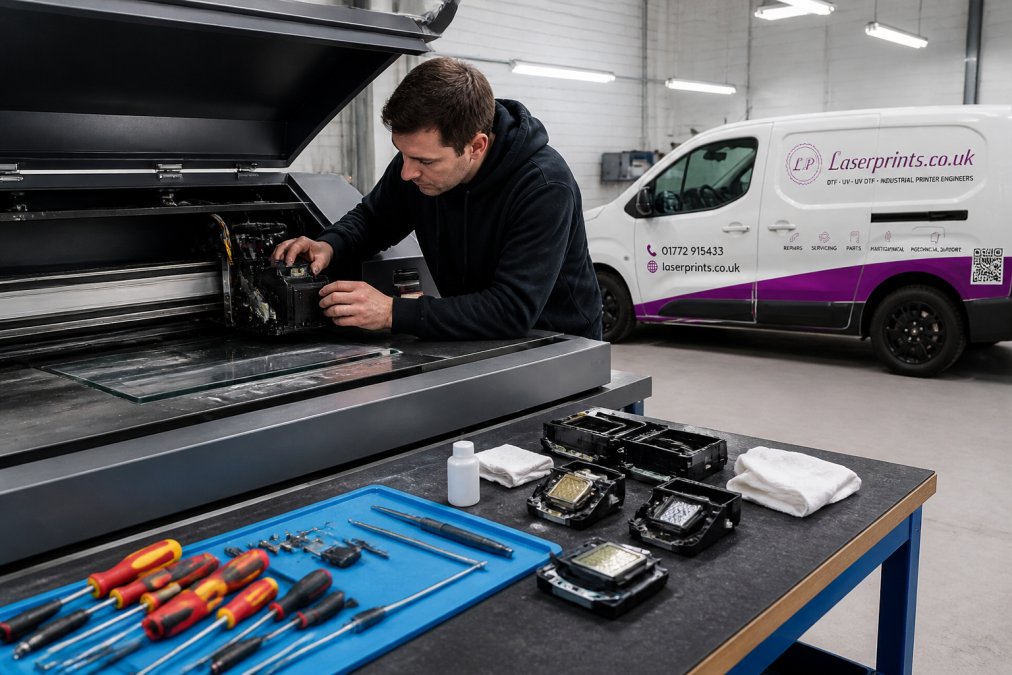
Professional UV printer servicing goes far beyond wiping down the exterior. A qualified engineer systematically assesses the printhead condition and nozzle performance, UV lamp output and curing efficiency, ink delivery systems, encoder strips, carriage mechanisms, and firmware configuration.
The printhead is the most critical and expensive component. Engineers assess nozzle firing patterns, check for blockages, and determine whether the head can be recovered through specialist cleaning or needs replacement. UV lamp intensity is measured against manufacturer specification, a lamp appearing functional may deliver insufficient output, leading to under-cured ink that fails adhesion tests.
Ink systems receive crucial attention: dampers, filters, ink lines, and waste tanks degrade over time and are a common cause of sudden clogs and colour inconsistency. Encoder strips and carriage rails are inspected for contamination or wear causing banding artefacts. Calibration verifies media feed accuracy, colour profiles, and printhead alignment, the part directly affecting output quality that DIY maintenance rarely addresses properly.
| Service Component | What Is Checked | Why It Matters |
|---|---|---|
| Printhead | Nozzle pattern, blockages, firing voltage | Print quality, head longevity |
| UV Lamps | Output intensity vs. specification | Ink curing, adhesion quality |
| Ink System | Dampers, filters, lines, waste tank | Consistent ink flow, clog prevention |
| Carriage & Encoder | Rail wear, strip contamination | Banding, registration accuracy |
| Calibration | Alignment, colour profiles, media feed | Output consistency |
The Cost of Industrial Printer Downtime You Cannot Ignore
The cost of downtime is rarely just the repair bill. It includes orders you cannot fulfil, overtime to catch up, clients who lose patience, and emergency call-out fees when faults strike at the worst moment.
Many print operations run on tight delivery windows. A UV flatbed down on Monday can cascade into missed deadlines by Wednesday. For businesses billing by the square metre or job, even two days of unplanned downtime represents significant monthly revenue loss.
The pattern is consistent: operators who skip scheduled maintenance face larger, more expensive repairs. A printhead recoverable through a cleaning service ends up needing full replacement. A UV lamp that should have been monitored causes under-cured output across entire batch runs, resulting in reprints and wasted substrate.
According to BPIF guidance on print equipment maintenance, unplanned equipment failures are among the leading causes of production disruption in commercial print. The guidance consistently points to preventive maintenance as the most cost-effective strategy for reducing that risk.
Emergency call-out costs, expedited parts shipping, and production scheduling knock-on effects compound quickly. Planned servicing is a predictable cost fitting operational budgets.
Building a UV Printer Maintenance Schedule That Works
A UV printer maintenance schedule assigns specific inspection and cleaning tasks to daily, weekly, monthly, and quarterly intervals. Without one, maintenance happens reactively, usually too late.
The most effective schedules follow manufacturer recommendations, adjusted for actual production volume. A machine running two shifts daily needs more frequent attention than one running four hours daily. Higher throughput accelerates wear on every consumable and moving component.
Daily and Weekly Tasks
Daily tasks keep the print engine stable between runs. Operators should:
- Run a nozzle check at shift start and before high-value jobs
- Perform printhead purge if nozzle check shows missing or deflected nozzles
- Wipe the capping station and wiper blade with appropriate cleaning solution
- Check waste ink tank level and empty if approaching capacity
- Inspect substrate surface and platen for debris or ink contamination
Weekly tasks include:
- Clean the encoder strip carefully with lint-free cloth and appropriate solvent
- Inspect UV lamp covers for ink or dust accumulation
- Check ink levels across all channels and top up to avoid air ingestion
- Run a full-width test print and evaluate for banding or colour shift
- Inspect carriage rails and apply lubrication per manufacturer specification
These tasks require no specialist tools and take under thirty minutes daily when done consistently.
Monthly and Quarterly Checks
Monthly checks are where most operators fall short:
- Inspect and replace ink dampers if flow resistance has increased
- Check UV lamp output using the lamp hour counter; cross-reference against replacement threshold
- Clean or replace ink filters
- Inspect printhead capping station for seal integrity
- Review firmware version and apply manufacturer updates if available
Quarterly checks are where professional involvement becomes valuable. A trained engineer objectively assesses printhead condition, measures UV lamp intensity with calibrated equipment, identifies wear patterns invisible to operators, and verifies calibration across colour channels and media types.
Troubleshooting UV Printer Ink Clogs: DIY Limits and Professional Solutions
Troubleshooting UV printer ink clogs is common, and DIY attempts frequently cause additional damage. UV inks cure when exposed to UV light, so ink settling in dormant nozzles can partially cure and become extremely difficult to remove.
The standard operator response to blocked nozzles is repeated purge cycles. For minor blockages, this works. For partially cured or heavily contaminated printheads, it wastes ink, increases pressure on the delivery system, and may force cured particles deeper into channels.
Common causes include leaving the machine idle without proper capping, running ink levels too low, using incompatible ink, failing to purge before extended shutdowns, and UV lamp heat thickening ink if the machine is powered down incorrectly.
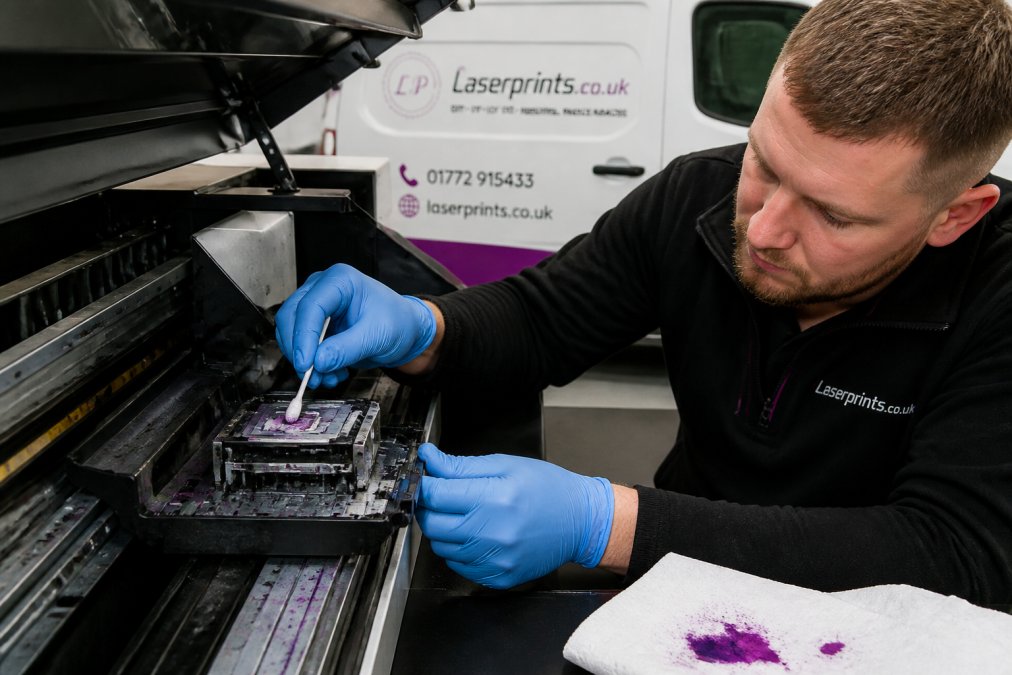
The DIY limit is reached when standard purge cycles fail to restore the nozzle pattern. The printhead then needs specialist ultrasonic or solvent cleaning, requiring both correct equipment and experience to avoid damaging the nozzle plate. Laserprints' Printhead Cleaning Service addresses this: the printhead is assessed by an experienced engineer and cleaned using specialist techniques to recover blocked nozzles.
Attempting to disassemble and clean a printhead without correct tools and training is the single most common way operators turn a recoverable blockage into a write-off.
Professional UV Printer Servicing vs. DIY Maintenance
The question is not whether to maintain your UV printer, but which tasks you should own internally and which to hand to a qualified engineer. The answer depends on your team's technical competence, machine complexity, and the cost of getting it wrong.
Pros and Cons of Professional Servicing
Pros:
- Engineers carry calibrated diagnostic tools including UV lamp intensity meters and printhead firing waveform analysers
- Professional servicing catches developing faults before they become failures
- Warranty and service agreement terms are preserved
- Objective assessment removes guesswork from replacement decisions
- Faster fault resolution when something goes wrong
Cons:
- Direct cost per service visit or workshop job
- Scheduling takes time, affecting production planning
- Service quality varies between providers
According to industry guidance from the British Printing Industries Federation, planned preventative maintenance consistently outperforms reactive repair in both cost and uptime metrics.
When DIY Makes Sense, and When It Does Not
DIY maintenance makes sense for daily and weekly tasks: nozzle checks, purge cycles, capping station cleaning, encoder strip wiping, and ink level management. These are well-documented, require no specialist tools, and carry low risk when performed correctly.
DIY stops making sense with persistent nozzle faults unresponsive to standard purges, UV lamps potentially below specification, carriage mechanisms producing banding, or any fault requiring opening the ink delivery system. These scenarios escalate repair costs substantially with incorrect intervention.
An operator spending two hours attempting a fault beyond their understanding, then calling for professional help anyway, has paid twice, in time and service fees. Calling a qualified engineer at the first sign of exceeding operator-level troubleshooting is almost always more cost-effective.

Factors to Consider Before Choosing a Servicing Approach
Several practical factors determine the right balance between professional servicing and in-house maintenance.
Production volume and machine utilisation. High-utilisation machines accumulate wear faster and benefit most from structured professional servicing at regular intervals.
Operator technical competence. Some teams include technically experienced operators who can safely perform advanced tasks. Others do not. Be honest about this, overestimating capability escalates repair costs.
Machine age and condition. Older machines with accumulated wear require more frequent professional attention, particularly those approaching UV lamp replacement or with high-hour printheads.
Proximity to qualified support. Access to providers with quick response times matters enormously. Laserprints offers Call-Out Service for on-site diagnosis and repair, In-House Machine Repair Service for workshop delivery, and Remote Support Service for software faults, providing tiered response options.

Cost of downtime vs. cost of servicing. Calculate what unplanned downtime actually costs in lost output and missed deadlines. If that significantly exceeds quarterly professional service costs, the case for scheduled servicing is clear.
As documented in HSE guidance on equipment maintenance in manufacturing environments, maintaining industrial equipment to manufacturer specifications is part of an employer's duty of care under the Provision and Use of Work Equipment Regulations 1998.
Which Servicing Option Fits Your Operation?
The right servicing approach varies by business. Here is a practical framework.
For small print shops with a single UV printer and moderate throughput: Consistent daily operator maintenance combined with professional service every six months. Use Remote Support Service for software faults and In-House Machine Repair Service when faults exceed operator-level troubleshooting.

For mid-size operations running multiple UV print engines: Quarterly professional servicing for each machine combined with structured daily and weekly operator maintenance. The Printhead Cleaning Service is cost-effective when a head shows early partial blockage signs, before escalating to full replacement.
For high-volume operations where UV printers are critical assets: Monthly or bi-monthly professional checks are justified. Unplanned downtime carries significant financial risk, and scheduled servicing costs are small relative to production halt costs. Call-Out Service provides rapid on-site response.
The common thread: engage professional support before faults appear. Operators who get most value from professional servicing treat it as a production planning tool, not an emergency service.
According to guidance on preventive maintenance strategies from the Chartered Institute of Procurement and Supply, businesses adopting planned maintenance frameworks report lower total maintenance costs and higher equipment availability than those relying on reactive repair.
Frequently Asked Questions
How often should a UV printer be professionally serviced?
For high-volume production environments, a professional service every three to six months is a sensible baseline. Lighter-use machines may only need annual attention. The right UV printer maintenance schedule depends on print volume, ink types, and operating conditions. Signs such as banding, inconsistent colour, or recurring ink clogs are clear indicators that a service is overdue regardless of the calendar.
What are the risks of neglecting UV printer maintenance?
Neglected UV printer servicing leads to blocked printheads, UV lamp degradation, cured ink contaminating mechanical components, and ultimately full print engine failure. Beyond repair costs, the cost of industrial printer downtime, lost orders, missed deadlines, emergency call-outs, typically far exceeds what scheduled maintenance would have cost. A single unplanned breakdown can result in thousands of pounds in lost production within days.
Can I carry out UV printer maintenance myself to save money?
Routine tasks such as nozzle checks, capping station cleaning, and waste ink management are reasonable for trained operators to handle in-house. However, troubleshooting UV printer ink clogs beyond surface-level blockages, replacing UV lamps, and recalibrating print heads require specialist tools and expertise. Attempting complex repairs without that knowledge frequently causes additional damage, making the eventual professional repair more expensive.
What does professional UV printer servicing typically cost?
Costs vary by service type. A remote diagnosis session starts from £24.99. Sending a DTF or UV printer to a specialist workshop for a full inspection and repair starts from £100. An on-site engineer call-out starts from £125. These structured options make it straightforward to match the level of support to the fault severity, rather than committing to an expensive contract before understanding what the machine actually needs.
Unplanned UV printer downtime is one of the most disruptive and avoidable costs in print production. Laserprints specialises in keeping UV, DTF, and laser print engines running at peak performance through expert repair, scheduled maintenance, and fast access to genuine spare parts. Whether you need an engineer on-site, a workshop repair, or remote technical support, our team provides a rapid, qualified response. Get started with Laserprints and keep your production running without interruption.
This article was written using GrandRanker