

Table of Contents
- Why Standard Maintenance Contracts Don't Fit Every Business
- Pay-As-You-Go Printer Repairs: Cost Control Without Commitment
- Remote Support Service: Diagnosis Without the Call-Out Fee
- In-House Printer Maintenance: When You Control the Workshop
- Industrial Printer Maintenance Contracts: What They Actually Deliver
- Industrial Printer Downtime Reduction: Choosing Your Strategy
- Comparison Table: Service Options, Costs, and When to Use Each
- Frequently Asked Questions
Last Updated: October 10, 2026
Why Standard Maintenance Contracts Don't Fit Every Business
Standard industrial printer maintenance contracts lock you into fixed schedules, monthly fees, and service levels that rarely match your actual needs. Many businesses end up paying for coverage they don't use or discovering their contract doesn't include the specific repairs they need most.
The real issue isn't maintenance itself, it's that one-size-fits-all contracts were built for businesses with predictable, high-volume printing operations. If your facility runs multiple print engines (laser, DTF, UV), operates with variable demand, or has periods of lower usage, those fixed contracts become expensive overhead.
At Laserprints, we've worked with print shops and manufacturing facilities that discovered industrial printer maintenance alternatives that worked better. Some switched to pay-as-you-go repair services. Others built in-house expertise. A few combined remote support with occasional call-outs. The pattern is clear: when you match your approach to your actual operation, downtime drops and costs become predictable without the waste.

Below, we'll show you exactly how different industrial printer maintenance alternatives work, what each costs, and which strategy fits which business model.
Pay-As-You-Go Printer Repairs: Cost Control Without Commitment
Pay-as-you-go repair services mean you call only when something breaks, you pay only for the work done, and you're not locked into annual commitments. This approach works best for businesses with lower failure rates, newer equipment, or seasonal production fluctuations.

The advantage is straightforward: no wasted monthly fees during slow periods. If your printer runs reliably for three months, you pay nothing. When it does fail, you call and get charged for the repair. No surprises, no unused coverage.
The catch is response time. Without a service contract, you're not a priority. A business relying on a standard maintenance contract gets faster dispatch than one calling for ad-hoc repairs. If your operation can tolerate a 24-48 hour wait during a breakdown, pay-as-you-go works.
Laserprints offers call-out service at £125.00 for exactly this scenario. A qualified engineer travels to your site, diagnoses the fault, and completes repairs on-site where possible. If specialist parts are required or the machine needs workshop repairs, we explain the findings and next steps clearly.
This model suits small print shops, facilities with backup equipment, or businesses where downtime is inconvenient but not catastrophic. It's also the right choice if you're testing whether you actually need a formal maintenance programme before committing to one.
Remote Support Service: Diagnosis Without the Call-Out Fee
Remote support bridges the gap between self-service troubleshooting and on-site engineering. Using secure video and remote desktop access, a technician diagnoses software issues, configures systems, and guides you through real-time fixes without leaving your facility.
This works for software-related problems: RIP configuration, driver installation, print workflow issues, firmware updates, and operator guidance. It doesn't work for hardware failures, damaged printheads, electrical faults, mechanical issues, or ink system problems need hands-on inspection.
The value is speed and cost. A software glitch that would require a £125 call-out can often be fixed in 20 minutes remotely. You're back printing within the hour instead of waiting for an engineer to arrive. Laserprints offers remote support at £24.99 for DTF, UV-DTF, sublimation, UV, and other commercial systems.
The limitation is that it only solves software and configuration problems. If the remote session reveals a hardware fault, you'll still need on-site repair or workshop service. But you've avoided a wasted £125 call-out and have a clear diagnosis for what comes next.
Remote support works best as a first line for any printer malfunction. Before you call for an expensive site visit, try remote diagnosis. Many issues resolve there. If the problem is hardware, you've got a head start on understanding what needs fixing.
In-House Printer Maintenance: When You Control the Workshop
Building internal expertise means your team handles routine maintenance, basic repairs, and parts replacement without external support. This cuts response time to zero, your technician is already on-site, and eliminates call-out fees entirely.
The investment is significant: training, tools, spare parts inventory, and a technician's time. You're also responsible for diagnosing problems correctly. A misdiagnosis wastes time and can damage equipment further.
In-house maintenance makes sense for larger operations with multiple machines, high printing volume, and staff dedicated to equipment care. A facility running five print engines daily justifies the cost of trained technicians and spare parts stock. A small shop with one or two machines probably doesn't.
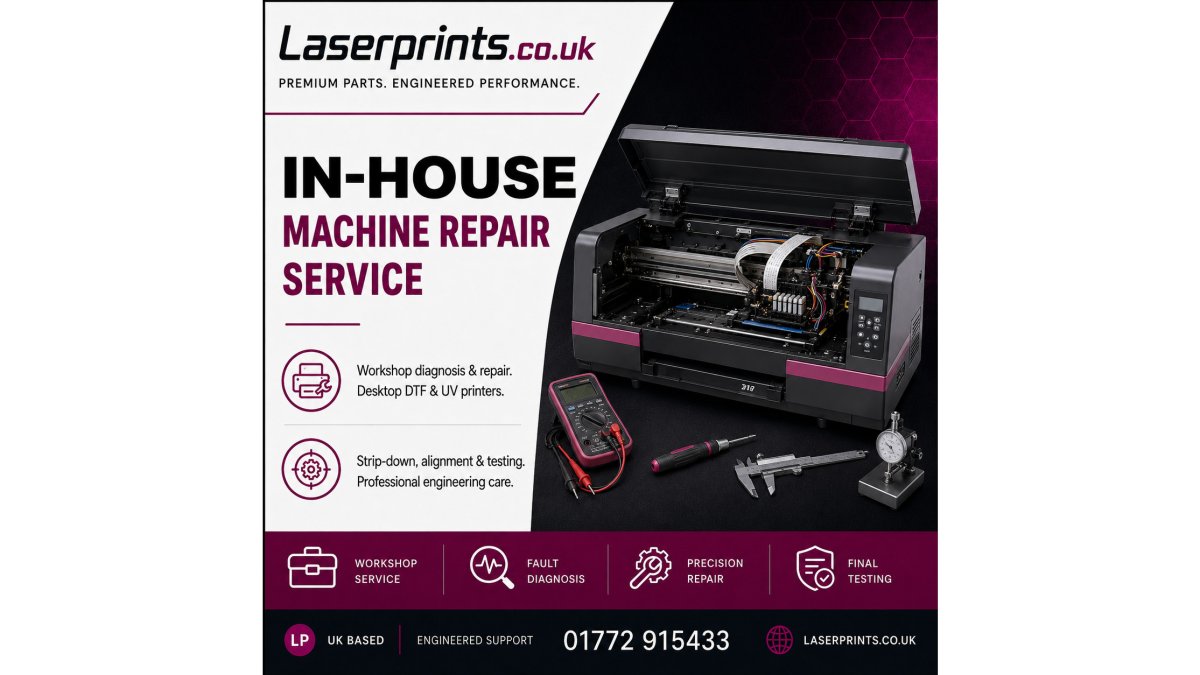
When you do need external help, Laserprints offers in-house machine repair service at £100.00 for DTF and UV printers delivered to our workshop. There are no call-out charges, you deliver the machine, we inspect, diagnose, repair, test, and you collect it.

The real value of in-house capability is that you're not dependent on external response times. You own the troubleshooting process. You control spare parts inventory. Your team learns the equipment deeply, which often prevents failures before they happen.
Industrial Printer Maintenance Contracts: What They Actually Deliver
Standard industrial printer maintenance contracts provide scheduled servicing, priority call-out response, and parts replacement at a fixed monthly cost. They're designed for businesses where downtime is expensive and reliability is non-negotiable.
What you're actually paying for is response priority and predictability. A contracted customer gets same-day or next-day response. An uncontracted customer waits longer. You know your monthly cost upfront. You don't budget for surprise repair bills.
The downside is that you pay whether you need service or not. A month with no failures costs the same as a month with three breakdowns. Over time, many businesses realise they're paying for coverage they rarely use.
Contracts work best for high-volume operations where equipment failure directly stops production and costs money. A commercial printing facility running 12 hours daily, or an apparel decoration business filling orders with tight deadlines, those operations justify the contract cost because downtime is genuinely expensive.
For lower-volume operations or businesses with backup equipment, contracts often become dead weight. You're better served by combining remote support with occasional call-outs, or building internal capability.
Industrial Printer Downtime Reduction: Choosing Your Strategy
Downtime reduction isn't just about repair speed, it's about preventing failures in the first place. Different strategies prevent different problems.
Remote support catches software issues before they cause hardware stress. Pay-as-you-go repairs work when failures are rare and you can tolerate occasional delays. In-house maintenance prevents failures through regular attention and catches problems early. Contracts guarantee response when prevention fails.
The most effective approach often combines strategies. Use remote support as your first response to any malfunction. Maintain basic spare parts and cleaning supplies in-house so your team can handle routine maintenance. Book occasional call-outs for complex repairs. Only commit to a contract if your downtime costs more than the contract price.
Laserprints supports all these approaches. We provide remote diagnosis, on-site repair, workshop service, and printhead cleaning. You choose which services fit your operation and use them as needed. No mandatory commitment. No paying for coverage you don't use.
Track your actual downtime over three months. Calculate what each hour costs your business. Then compare that against the cost of different maintenance strategies. The maths usually shows a clear winner for your specific operation.
Comparison Table: Service Options, Costs, and When to Use Each
| Service | Cost | Response Time | Best For | Hardware Required |
|---|---|---|---|---|
| Remote Support | £24.99 per session | 1-2 hours | Software issues, configuration, driver problems | Internet connection, remote access software |
| Pay-As-You-Go Call-Out | £125.00 per visit | 24-48 hours | Occasional repairs, lower failure rates, backup equipment available | On-site access for engineer |
| In-House Repair Service | £100.00 per machine | 2-3 working days | Complex repairs, multiple machines, workshop needed | Delivery and collection by customer |
| Printhead Cleaning | £49.99 per printhead | 5 working days | Blocked nozzles, ink contamination, performance recovery | Mail service to workshop |
Use this table to match your situation. If you're handling five machines with variable demand, combine remote support (first response) with occasional call-outs (complex problems). If you're running high-volume production, the upfront cost of in-house capability can be a worthwhile investment.
Choosing the right industrial printer maintenance alternative depends on your equipment, production volume, and tolerance for downtime. There's no universal best option, only the best fit for your operation.
The businesses we work with most successfully treat maintenance as a strategy, not a checkbox. They start with remote support to catch problems early and cheaply. They build enough in-house knowledge to handle routine care. They use call-outs and workshop service for repairs beyond their scope. And they only commit to contracts when the numbers prove it's worth the cost.
Laserprints specialises in supporting all these approaches. Whether you need remote support at £24.99, call-out service at £125.00, workshop repair at £100.00, or printhead cleaning at £49.99, we're here to keep your equipment running. Get started with Laserprints and eliminate the guesswork from your industrial printer maintenance strategy.
Frequently Asked Questions
What are the main alternatives to a standard industrial printer maintenance contract?
The primary alternatives to standard contracts are pay-as-you-go repairs (you pay only when something breaks), remote support services (software and configuration help via video call), in-house workshop repairs (you deliver the machine for diagnosis and repair), and preventative servicing without a fixed contract (you book individual maintenance visits as needed). Each suits different business volumes and budgets. High-volume operations benefit from contracts; businesses with occasional issues prefer pay-as-you-go. Remote support costs £24.99 per session and works well for software problems, whilst call-out repairs start at £125.00 for on-site diagnosis.
Can pay-as-you-go printer repairs actually reduce industrial printer downtime?
Pay-as-you-go repairs work best when combined with preventative care and operator training. The risk is that waiting for a breakdown to call someone out creates longer downtime than scheduled maintenance would. However, if your equipment runs reliably and breakdowns are rare, pay-as-you-go avoids paying for unused contract hours. The key is having a responsive service partner: fast diagnosis and parts availability matter more than the payment model. Remote support (£24.99) can often identify and fix software issues within hours, reducing the need for costly on-site visits.
Is in-house printer maintenance more cost-effective than outsourced support?
In-house maintenance depends on your technical capability and spare parts inventory. If your team can diagnose and repair, in-house work saves call-out charges and travel time. However, specialist equipment (printheads, UV engines, laser optics) requires expertise. Many businesses use a hybrid approach: in-house for routine cleaning and basic troubleshooting, outsourced for complex faults. Workshop-based repair services (£100.00 for in-house machine repair) eliminate travel charges and can be faster if you can deliver the machine. Printhead cleaning (£49.99) is cost-effective in-house if the issue is blockage rather than electrical failure.
What should an industrial printer maintenance agreement actually cover?
A comprehensive agreement should cover emergency call-outs, parts replacement, labour, response time guarantees, and preventative servicing frequency. It should specify which equipment is included (laser, DTF, UV engines), whether software support is included, and whether remote diagnosis is available before on-site visits. Check whether parts are included or charged separately, and what happens if the technician's diagnosis is wrong. The agreement should also clarify turnaround times for repairs and whether you get a courtesy machine during major repairs. Transparent pricing and clear escalation procedures protect both parties.
How quickly can I get an engineer if my printer breaks down?
Response time varies by service type. On-site call-out services typically aim to attend within 24-48 hours for urgent faults, though this depends on your location and the engineer's current workload. Remote support (£24.99) can often diagnose software issues within hours via video call, avoiding the need for a site visit entirely. If you can deliver your machine to a workshop, in-house repair (£100.00) usually takes 2-3 working days from delivery. For critical production, ask your service provider about same-day or next-morning response options and whether they stock common replacement parts on-site to avoid waiting for parts delivery.