

Table of Contents
- How Long Does Printer Maintenance Usually Take?
- Factors That Influence Maintenance Duration
- Industrial Printer Maintenance Schedule and Timing
- Benefits of Professional Industrial Printer Repair Services
- Reducing Printer Downtime for Businesses
- Planning Maintenance to Fit Your Production Schedule
- Frequently Asked Questions
Last Updated: 27 September 2026
How Long Does Printer Maintenance Usually Take?
How long does printer maintenance usually take? The answer depends entirely on what needs fixing. A straightforward printhead cleaning might take 30 minutes to an hour. A full diagnostic and component replacement could stretch to several hours or require multiple visits. For industrial laser, DTF, and UV print engines, maintenance duration varies dramatically based on the fault, the machine's condition, and whether parts need ordering.
At Laserprints, we understand that downtime costs far more than the maintenance itself. A machine sitting idle for a week because you're waiting for a diagnosis costs thousands in lost orders. Understanding realistic maintenance timescales helps you plan production schedules, manage cash flow, and decide whether preventative care makes financial sense.
The real question isn't just how long maintenance takes, it's how much downtime you can afford. Some repairs happen in hours. Others require workshop-level intervention. And some problems demand preventative action long before they become emergencies.
Factors That Influence Maintenance Duration
Several variables determine whether maintenance takes 45 minutes or 45 hours. The complexity of your machine matters enormously. A basic DTF printer with straightforward ink circulation differs fundamentally from a multi-head UV system with integrated curing and advanced software controls. Older machines often take longer to service because worn components require more careful handling, and replacement parts may be harder to source.
The nature of the fault itself is the biggest time driver. A blocked printhead might clear in under an hour if caught early. The same printhead left untreated for weeks can suffer permanent damage, requiring replacement rather than cleaning, a more expensive and time-consuming fix. Software glitches that a remote technician can resolve in 20 minutes might look like hardware failures until someone actually connects to your system and investigates.
Whether parts are in stock changes everything. If a technician diagnoses a failed component and you have spares on hand, they can finish the repair during their visit. If parts need ordering, your machine sits idle until they arrive. This is why many production managers keep critical spares in inventory, the insurance cost of holding stock is far lower than the cost of unexpected downtime.
Your machine's maintenance history shapes repair time significantly. Equipment that's been serviced regularly, with printheads cleaned and calibrations checked, tends to fail less often and recover faster. Machines that run until they break, with contaminated ink systems and years of accumulated debris, present more complex diagnostics and longer repair windows.
Industrial Printer Maintenance Schedule and Timing
Professional-grade laser, DTF, and UV systems require different maintenance rhythms. Laser machines typically benefit from quarterly inspections to check optics, mirrors, and cooling systems. DTF printers need monthly printhead cleaning and regular ink system flushing, especially if you're running high-volume production. UV systems demand frequent inspection of curing lamps and ink circulation to prevent nozzle blockages.
Routine preventative maintenance usually takes 2-4 hours per session, depending on machine type and complexity. A technician will inspect critical components, clean or replace filters, check calibrations, and run test prints to confirm everything's operating correctly. This work prevents the catastrophic failures that turn a planned 3-hour service into an emergency 48-hour repair.
The timing of maintenance matters as much as its frequency. Scheduling service during your lowest-volume production days minimises impact. Many print shops we work with schedule maintenance on Monday mornings or Friday afternoons, when production schedules are lighter. Others rotate maintenance across different machines so at least one is always operational.
Emergency repairs, when a machine fails unexpectedly, take considerably longer. A technician must first diagnose the problem, which itself can take 1-3 hours depending on whether the fault is obvious or requires systematic testing. Once identified, the repair might be straightforward or complex. If parts aren't available, you're looking at days of downtime, not hours.
Benefits of Professional Industrial Printer Repair Services
Working with experienced technicians dramatically reduces downtime compared to attempting repairs internally or waiting for generic support. A qualified engineer arrives with diagnostic tools, spare components for common faults, and deep knowledge of your specific machine type. They can often identify and resolve problems in a single visit that would take an untrained operator days to troubleshoot.
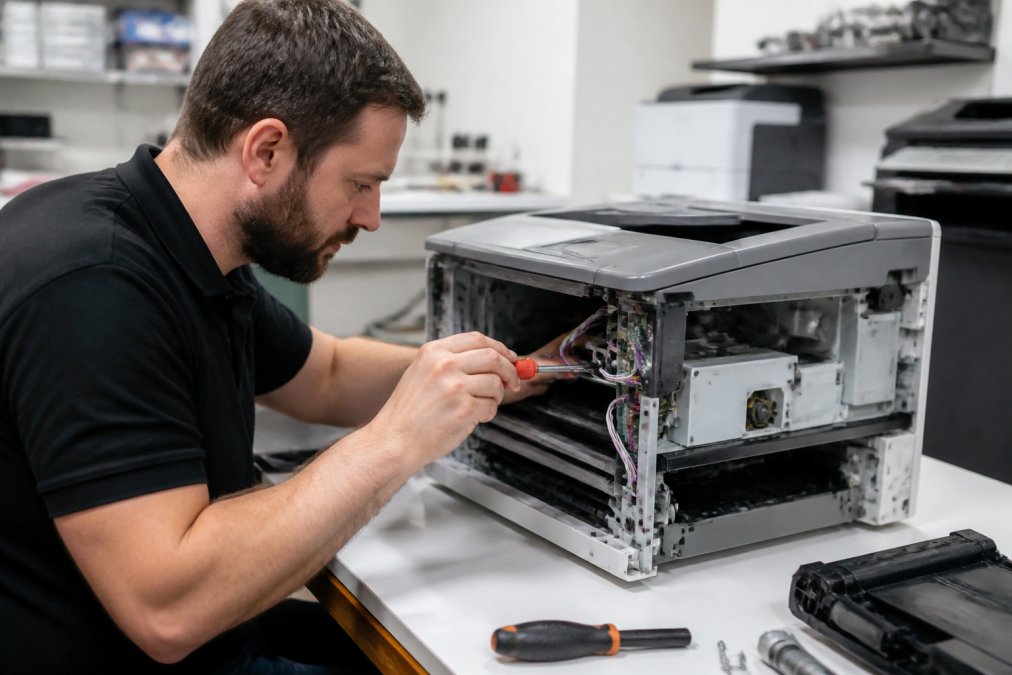
Professional repair services offer a level of accountability that DIY approaches cannot match, providing peace of mind when your production depends on equipment reliability.
Speed matters enormously in industrial printing. A specialist technician can diagnose and repair faults efficiently, drawing on extensive experience with various machine types and common issues.
The [Laserprints Call-Out Service](https://laserprints.co.uk/products/call-out-service) brings a qualified engineer to your premises to diagnose and repair faults on site. For machines that can't be transported, this eliminates the logistics nightmare of getting equipment to a workshop and back. For businesses running tight production schedules, having an engineer arrive and complete repairs without moving the machine is often the only realistic option.

Spare parts availability is another critical advantage. Professional repair providers often stock common replacement components, meaning repairs can be completed efficiently. The Laserprints In-House Machine Repair Service includes workshop-based diagnostics and repairs with typical turnaround of 2-3 working days, giving you certainty about when your machine will return to production.

Reducing Printer Downtime for Businesses
The most effective downtime reduction strategy is preventative maintenance before failures occur. Regular printhead cleaning, ink system flushing, and component inspection catch problems when they're minor and fixable. A technician can clean a slightly blocked printhead in 30 minutes. That same printhead, left to deteriorate, might require replacement at triple the cost and with days of downtime.
Scheduling maintenance during planned production gaps makes sense. If you know your machine will be idle on a particular day, that's the ideal time for service work. You avoid the emergency repair scenario where a machine fails during a critical production run. Preventative maintenance on a schedule you control beats reactive repairs on a schedule the machine controls.
Having diagnostic support available quickly matters when something does go wrong. The [Laserprints Remote Support Service](https://laserprints.co.uk/products/remote-support-service) allows a technician to connect to your system and investigate software issues, driver problems, or configuration errors without waiting for an on-site visit. Many issues resolve in 20-30 minutes through remote troubleshooting, avoiding the delay of scheduling an engineer visit.
Understanding your machine's critical components helps prioritise maintenance. On a DTF printer, the printhead is the single most expensive component and the most likely to fail. Keeping that printhead clean and properly maintained prevents your most costly failure mode. On a laser machine, mirrors and optics are the critical path, contamination there degrades print quality and eventually causes complete failure.
Document your maintenance history. Keep records of what was serviced, when, and what problems were found. Over time, patterns emerge. You'll notice which components tend to fail, which seasons create problems, and which production patterns stress your equipment. That data lets you schedule preventative work before failures happen.
Planning Maintenance to Fit Your Production Schedule
Effective maintenance planning starts with understanding your production rhythm. High-volume shops running 24-hour shifts have different constraints than businesses with variable demand. A shop that runs 9 to 5 can schedule maintenance around those hours. A shop running continuous production must plan differently, perhaps rotating machines offline for maintenance while others stay operational.
Build maintenance time into your production calendar. If your machine needs quarterly servicing, block those dates now. Don't wait until a machine fails to think about when you can access it. Planned maintenance is far cheaper and faster than emergency repairs because technicians can prepare, order parts if needed, and schedule your machine into their workflow.
Consider your seasonal patterns. Many print shops see demand spikes at particular times of year. Schedule maintenance during slower seasons when you can afford downtime. If you run at full capacity June to August, plan your major maintenance for September or January when demand dips.
Communicate maintenance schedules to your production team well in advance. When a technician arrives to service a machine, your operators shouldn't be surprised. They should know the machine will be offline, have redirected work to other equipment, and be ready to help the technician understand any quirks or recent problems they've noticed.
Invest in spare machines for critical operations if your business can justify it. A backup DTF or laser printer lets you continue production while primary equipment is being serviced. This is particularly important for shops with long lead times or contracts that specify delivery dates. The cost of a backup machine is often far lower than the cost of missing deadlines.
The [Laserprints Printhead Cleaning Service](https://laserprints.co.uk/products/printhead-cleaning-service) provides scheduled maintenance without disrupting your workflow. You send the printhead to the workshop while your machine continues running with a backup, or you schedule the cleaning during a planned maintenance window. Typical turnaround is five working days, giving you predictability about when your equipment returns to full performance.

Maintaining industrial printing equipment is inevitable, but the cost and disruption of that maintenance varies enormously based on how you approach it. Preventative care reduces emergency repairs. Professional technicians complete work faster than internal teams. Spare parts availability means repairs finish during visits rather than extending into days of downtime.
Laserprints specialises in exactly this: keeping your laser, DTF, and UV print engines running.
Frequently Asked Questions
How long should a standard printer service take?
Standard routine maintenance for commercial printers typically takes 2-4 hours, depending on the equipment type and condition. Laser machines, DTF, and UV print engines have different service requirements. In-house repair services usually complete work within 2-3 working days from delivery, whilst on-site call-out services are completed during a single visit. More complex repairs requiring parts replacement or workshop diagnosis may extend this timeline.
What factors influence the duration of industrial printer maintenance?
Equipment type (laser, DTF, or UV), age and condition, extent of wear, parts availability, and whether work is done on-site or in-workshop all affect timing. Preventative maintenance is faster than reactive repairs. Printhead cleaning services take approximately five working days, whilst remote software support can resolve issues within a single session. Scheduling regular maintenance reduces downtime compared to emergency repairs.
How often should professional printer maintenance be scheduled?
High-volume commercial operations should schedule maintenance every 3-6 months, depending on daily usage hours and print volume. Preventative maintenance prevents unexpected breakdowns and extends equipment life. Businesses running multiple machines (laser, DTF, UV) benefit from coordinated maintenance schedules. Professional maintenance services help identify wear patterns early, reducing costly emergency repairs and production interruptions.
Can I speed up the printer maintenance process?
Yes. Preventative maintenance reduces overall downtime by catching issues before failure. Remote support services like video diagnostics can resolve software issues quickly without on-site visits. Keeping spare parts in stock minimises repair wait times. Scheduling maintenance during low-production periods avoids peak downtime impact. Professional engineers can often complete repairs faster than in-house attempts, which sometimes worsen problems and extend total repair time.