

Table of Contents
- What to Look for in a DTF Printer Before You Buy
-
DTF Printer Comparison: Six Models Reviewed
- Roland VersaSTUDIO BY-20, Best Entry-Level Desktop Option
- DTF Magic 30PRO, Most Affordable Start-Up Choice
- Epson SureColor SC-F2200, Best Hybrid DTG and DTF Machine
- Mimaki TxF150-75, Reliable Mid-Range Production Printer
- STS XPD-924D 24", High-Throughput Roll-to-Roll Workhorse
- Roland TY-300, Best for High-Volume Commercial Production
- Which DTF Printer Should You Choose?
- Cost of Running a DTF Printer: What to Budget For
- DTF Printer Maintenance Tips to Prevent Costly Downtime
- DTF Printer Troubleshooting Guide: Common Faults and Fixes
- Conclusion
Last Updated: 26 August 2026
Direct-to-film printing has reshaped garment decoration, and the range of DTF printer options available to print shops has never been wider. At Laserprints, we work daily with production managers and print shop owners who need to make this decision correctly the first time, because the wrong choice costs far more than the machine itself. This guide compares six models worth serious consideration, along with the practical buying criteria that actually matter.
Quick Picks:
- Best Entry-Level Desktop: Roland VersaSTUDIO BY-20, professional quality at an accessible price point
- Most Affordable Start-Up: DTF Magic 30PRO, compact, low-maintenance, ideal for low volumes
- Best Hybrid DTG/DTF: Epson SureColor SC-F2200, switch between print modes without flushing inks
- Reliable Mid-Range: Mimaki TxF150-75, scalable production with comprehensive UK support
- High-Throughput Roll-to-Roll: STS XPD-924D 24", dual printheads for serious output
- Best High-Volume Commercial: Roland TY-300, fastest speeds, automatic maintenance, premium quality
What to Look for in a DTF Printer Before You Buy
Choosing a DTF printer is not simply a question of budget. The machine that looks most affordable at purchase often carries the highest operational cost once you factor in consumables, downtime, and maintenance. Before comparing specific models, get clear on your production volume and your tolerance for maintenance complexity.
Print Width and Production Volume
Print width determines what jobs you can accept and how quickly you can fulfil them. Desktop DTF printers typically print up to 300-480mm wide, suiting small-batch and on-demand work. Roll-to-roll systems at 600mm or wider are designed for continuous production runs and gang-sheet printing to maximise output per hour. Match the machine to your realistic peak volume, not your average.
White Ink Management and Printhead Reliability
White ink is the most demanding element of any DTF printer workflow. It is denser than colour inks, prone to settling and clogging, and responsible for the majority of printhead failures. Any machine you seriously evaluate should have an automatic white ink circulation system that keeps ink moving even when idle. Printhead reliability is where the real cost calculation sits. A printhead replacement on an industrial system can run to several hundred pounds, and lead times can stall production for days. Models with user-repairable printheads or automatic self-cleaning cycles significantly reduce this risk. According to Epson's official product documentation for DTF and DTG systems, automatic maintenance routines are among the most effective ways to extend printhead service life in high-pigment ink environments.
DTF Printer Comparison: Six Models Reviewed
The six machines below represent the realistic spectrum available to UK print businesses, from desktop starters to commercial production workhorses. Each has a defined use case.
Roland VersaSTUDIO BY-20, Best Entry-Level Desktop Option
The BY-20 is priced at £4,750 and built around Roland's S-PG2 water-based pigmented inks in a single-pass CMYK plus white configuration, with a printable width of 480mm. What separates it from cheaper alternatives is versatility: it handles DTF film, cut-and-print heat transfer vinyl, and printing onto water-based coated media from the same unit. The bundled BY Utility app and DG Connect software are intuitive, and inks carry OEKO-TEX ECO PASSPORT certification, which matters for regulated sectors like children's wear.
Pros:
- Accessible price for professional Roland-quality output
- Versatile across DTF, HTV, and coated media
- Intuitive software reduces operator training time
Cons:
- Limited production volume compared to roll-fed systems
- May need additional equipment for fully automated workflow
DTF Magic 30PRO, Most Affordable Start-Up Choice
The 30PRO is a 30cm desktop printer built around a single Epson DX11 printhead, aimed at start-ups, Etsy sellers, and micro-businesses testing the DTF model. The automatic white ink circulation system and print head anti-collision system protect against operator error. For occasional use and sample production, this is workable; for a busy shop, it is a bottleneck due to single-head design and manual powder application.
Pros:
- Low entry cost for genuine DTF capability
- Compact footprint suits small workspaces
- Less maintenance burden than larger multi-head systems
Cons:
- Manual powder application slows workflow
- Single-head design limits production speed
Epson SureColor SC-F2200, Best Hybrid DTG and DTF Machine
The SC-F2200 is priced at £8,995 and serves businesses needing both direct-to-garment and direct-to-film capability without running two separate ink systems. Switching between DTG and DTF requires no ink flush, saving considerable time and ink waste over a working week. Epson's automatic self-cleaning maintenance and user-repairable printhead design are the operational highlights. According to Epson SureColor product specifications for the SC-F2200, the machine is developed for accuracy and complex design production in mid-to-large garment operations.
Pros:
- Genuine hybrid capability without ink system changes
- User-repairable printhead reduces service dependency
- High accuracy and fast turnaround on complex designs
Cons:
- Higher initial cost than dedicated entry-level DTF machines
- Requires additional accessories for complete DTF workflow
Mimaki TxF150-75, Reliable Mid-Range Production Printer
The TxF150-75 sits at £8,995 and positions itself as a scalable option for businesses that have outgrown desktop machines but not yet ready for full roll-to-roll investment. It prints on cotton, polyester, and blended fabrics with consistent results. The most practical consideration for UK buyers is comprehensive UK-based training and technical support included with purchase.
Pros:
- Scalable for growing production volumes
- Vibrant, durable output on wide textile range
- Strong UK-based support and training package
Cons:
- Higher price point than entry-level options
- Technical specifications less detailed in public documentation
STS XPD-924D 24", High-Throughput Roll-to-Roll Workhorse
The STS XPD-924D runs staggered dual AccuFine HD printheads and handles media up to 635mm wide, with production speeds reaching 17.5 m²/h. For shops running gang sheets continuously, that throughput is transformative compared to any desktop system. The built-in white ink circulation system operates continuously to maintain stable flow and reduce maintenance burden. The machine ships with Digital Factory RIP 12 software and pre-installed colour profiles, shortening time between installation and first saleable output.
Pros:
- Exceptional throughput for high-volume operations
- Dual printhead configuration increases productivity substantially
- Continuous white ink circulation reduces maintenance frequency
Cons:
- Larger physical footprint requires dedicated floor space
- Higher investment than desktop alternatives
Roland TY-300, Best for High-Volume Commercial Production
The TY-300 is Roland's flagship DTF offering. True Rich Colour 3 technology delivers fine detail and vivid colour with smooth gradations. Roland claims speeds up to 45% faster than competitive models, translating to meaningful capacity advantage at commercial production volumes. Four white ink cartridges with automatic switching maintain consistent white ink density without operator intervention. Automatic maintenance features reduce daily management burden, and inks carry OEKO-TEX ECO PASSPORT certification. Pricing is available on request; factor in a separate shaker oven for curing.
Pros:
- Outstanding print quality with True Rich Colour 3
- Significantly faster than most competing models
- Automatic maintenance minimises operator intervention
Cons:
- Higher initial investment
- Shaker oven sold separately, adding to total setup cost
Which DTF Printer Should You Choose?
The right DTF printer depends on three variables: your current volume, projected growth, and tolerance for operational complexity.
| Model | Starting Price | Print Width | Best For | Key Limitation |
|---|---|---|---|---|
| Roland VersaSTUDIO BY-20 | £4,750 | 480mm | Entry-level small shops | Limited volume capacity |
| DTF Magic 30PRO | Contact for pricing | 300mm | Start-ups, micro-businesses | Manual powder, slow throughput |
| Epson SureColor SC-F2200 | £8,995 | Standard DTG/DTF | Hybrid DTG and DTF operations | Needs additional DTF accessories |
| Mimaki TxF150-75 | £8,995 | 75cm | Growing mid-range production | Less detailed public spec data |
| STS XPD-924D 24" | Contact for pricing | 635mm | High-volume roll-to-roll | Large footprint, higher cost |
| Roland TY-300 | Contact for pricing | Commercial | High-volume commercial shops | Shaker oven sold separately |
If you are starting out and need to validate demand before scaling, the BY-20 or 30PRO give you genuine DTF capability without overcommitting capital. If your order book justifies mid-range investment, the SC-F2200's hybrid capability or Mimaki's scalability are more intelligent choices. For shops already running volume and needing increased throughput, the STS XPD-924D and Roland TY-300 are the only realistic options.
Cost of Running a DTF Printer: What to Budget For
Purchase price is the smallest part of the total cost equation. Operational cost, inks, film, powder, maintenance, and downtime, is where real financial exposure sits. Ink consumption is your largest recurring cost. White ink runs at higher volume than colour inks because it forms the adhesion layer beneath every colour print. Film and hot-melt adhesive powder scale directly with output. Maintenance costs split into planned and unplanned. Planned maintenance, including printhead cleaning cycles, capping station replacement, and ink line flushing, is predictable and budgetable. Unplanned maintenance, triggered by clogged nozzles, failed ink circulation, or printhead damage, is not. According to the British Printing Industries Federation's guidance on print equipment lifecycle costs, total cost of ownership planning is consistently cited as the area where print businesses underinvest at purchase.
DTF Printer Maintenance Tips to Prevent Costly Downtime
Preventative maintenance is the single most effective way to protect your DTF printer investment. DTF ink chemistry, particularly white ink, is aggressive on components if left unmanaged.
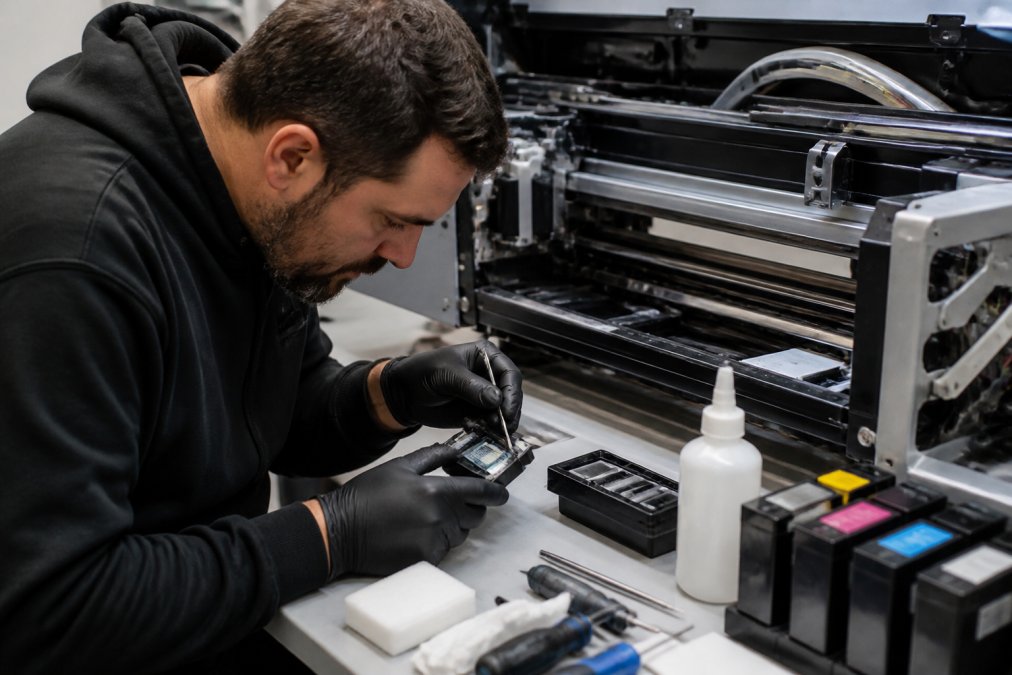
A structured daily, weekly, and monthly maintenance routine prevents the majority of field failures:
Daily:
- Run a nozzle check print before starting production
- Confirm white ink circulation is active
- Clear powder residue from printer chassis and film path
- Check ink levels and top up before critical low
Weekly:
- Clean capping stations and wiper blades
- Run a head cleaning cycle appropriate to your model
- Inspect film feed path for debris or adhesive build-up
- Check waste ink tank levels
Monthly:
- Inspect ink lines for air bubbles or discolouration
- Lubricate carriage rails per manufacturer specification
- Review nozzle check history for developing wear patterns
- Calibrate print head alignment
A DTF printer left idle for more than 24 hours without circulation or a purge cycle will begin to show white ink settling. Left for 48-72 hours without attention, that settling can become a blockage requiring professional intervention. Laserprints provides expert DTF printer servicing and spare parts supply for UK print businesses, with rapid response times designed to minimise production impact of both planned maintenance and unexpected faults.
DTF Printer Troubleshooting Guide: Common Faults and Fixes
A DTF printer troubleshooting guide should be your operators' first resource before escalating to a service call. Most field faults fall into a small number of categories, and many are resolvable in-house.
White ink banding or missing nozzles
This is the most common fault across all DTF printer models. The cause is almost always partial nozzle blockage from settled white ink pigment. Run a head cleaning cycle and reprint a nozzle check. If banding persists after two cleaning cycles, perform a more aggressive purge and allow the printhead to soak for 15-20 minutes before retesting. Persistent banding after three cycles indicates a deeper blockage requiring manual cleaning or professional assessment.
Film feeding unevenly or skewing
Uneven film feed typically traces to incorrect tension settings, contaminated feed rollers, or film that has absorbed moisture and lost dimensional stability. Check roller pressure settings against your film specification, clean the rollers with an appropriate solvent, and store film in sealed packaging away from humidity.
Poor adhesion after heat pressing
If transfers are peeling or showing poor wash fastness, the fault is usually in the curing stage rather than the print itself. Check powder application consistency, oven temperature calibration, and dwell time. Under-cured powder is the most common cause of adhesion failure.
Colour output appearing dull or shifted
Colour accuracy issues often indicate an ICC profile mismatch in the RIP software, or ink that has settled in the lines and is feeding inconsistently. Run a thorough ink line purge, confirm your RIP profile matches your film and ink combination, and reprint a test target. The common mistake is to assume a colour problem is a printhead problem. In most cases, it is a software or ink supply issue, and replacing a printhead prematurely is an expensive misdiagnosis. For faults that do not resolve through standard troubleshooting, Laserprints offers remote support services to diagnose DTF printer issues without requiring a site visit, significantly reducing the time between fault identification and resolution.
Frequently Asked Questions
What is the best DTF printer for a small business?
For small businesses, the Roland VersaSTUDIO BY-20 (£4,750) and the DTF Magic 30PRO are strong starting points. Both offer compact desktop footprints, manageable running costs, and straightforward operation. The BY-20 adds versatility with HTV and coated media printing, while the 30PRO suits start-ups focused purely on DTF transfers at lower volumes. Your choice depends on how quickly you expect production demand to grow.
Are DTF printers worth the investment for UK print shops?
For most print shops, a DTF printer opens decoration options that screen printing cannot match economically at short runs: full-colour photographic designs, small batch orders, and hard substrates via heat transfer. The ongoing costs, film, powder, ink, and curing, need factoring into your job pricing, but shops replacing outsourced transfer orders typically recover equipment costs within the first year of consistent use.
How do I maintain a DTF printer to prevent downtime?
Run the automatic head-cleaning cycle daily before printing. Keep white ink circulating continuously or agitate cartridges manually if your model lacks auto-circulation. Store film in a sealed, low-humidity environment. Replace capping station pads and wiper blades on the manufacturer's recommended schedule. A preventative maintenance contract with a specialist, covering quarterly inspections, printhead health checks, and spare parts availability, significantly reduces the risk of unplanned production stoppages.
What are the most common issues with DTF printing systems?
White ink settling and clogging printheads is the single most frequent fault. Banding in prints usually points to a partially blocked nozzle or a failing printhead. Film feed errors often stem from incorrect tension settings or humidity warping the roll. Powder adhesion problems are typically caused by under-curing in the shaker oven. Most of these faults are preventable with consistent maintenance routines and correct environmental conditions.
How long does a DTF printer last with regular maintenance?
With consistent preventative maintenance, daily cleaning cycles, timely consumable replacement, and annual professional servicing, a commercial DTF printer typically operates reliably for five to eight years. Printheads are the most wear-prone component and may need replacing every one to three years depending on print volume. Machines running high daily volumes benefit most from scheduled maintenance contracts to catch component wear before it causes production downtime.
Choosing the right DTF printer is only half the challenge. Keeping it running at peak performance is where the real operational discipline lies. Laserprints specialises in expert repair, maintenance, and spare parts supply for DTF, laser, and UV print engines across the UK, with quick response times and remote support designed to get your production back online fast. Shop now and find out how we can keep your equipment running.
This article was written using GrandRanker