

Table of Contents
- DTF Print UK: What Production Teams Need Before They Start
- DTF Printing Equipment: What a Production-Ready Setup Includes
- DTF Printer Setup: Getting the Workflow Right From Day One
- DTF Printer Maintenance: The Routine That Prevents Downtime
- DTF Printer Troubleshooting: Common Faults and What Causes Them
- When to Repair, Replace or Call in Support
- Frequently Asked Questions
Last Updated: 12 October 2026
DTF Print UK: What Production Teams Need Before They Start
Direct-to-film printing has moved from a niche add-on to a core production line for many garment decorators. Yet a large share of downtime in DTF printing in the UK comes down to setup and maintenance, not the machine itself. At Laserprints, we repair and service laser, DTF and UV print engines, and we see the same avoidable faults again and again.
Here is what you need to know before you commit floor space and staff time:
- DTF printing is a digital method that prints a design onto a PET film, coats it with adhesive powder, cures it, then heat-presses the transfer onto a garment.
- A production-ready setup needs a printer, ink, film, powder, a curing unit and a heat press.
- Setup and daily habits matter more than the badge on the machine.
Most guides skip the unglamorous part: keeping the thing running. We will cover equipment, setup, maintenance and the faults that stop production. The Health and Safety Executive guidance on safe working practices is worth a read before you plan any workshop layout.
DTF Printing Equipment: What a Production-Ready Setup Includes
A production-ready DTF setup combines six core items: a DTF printer, water-based DTF ink, PET transfer film, hot melt adhesive powder, a curing unit, and a heat press. Miss any one and the workflow breaks.

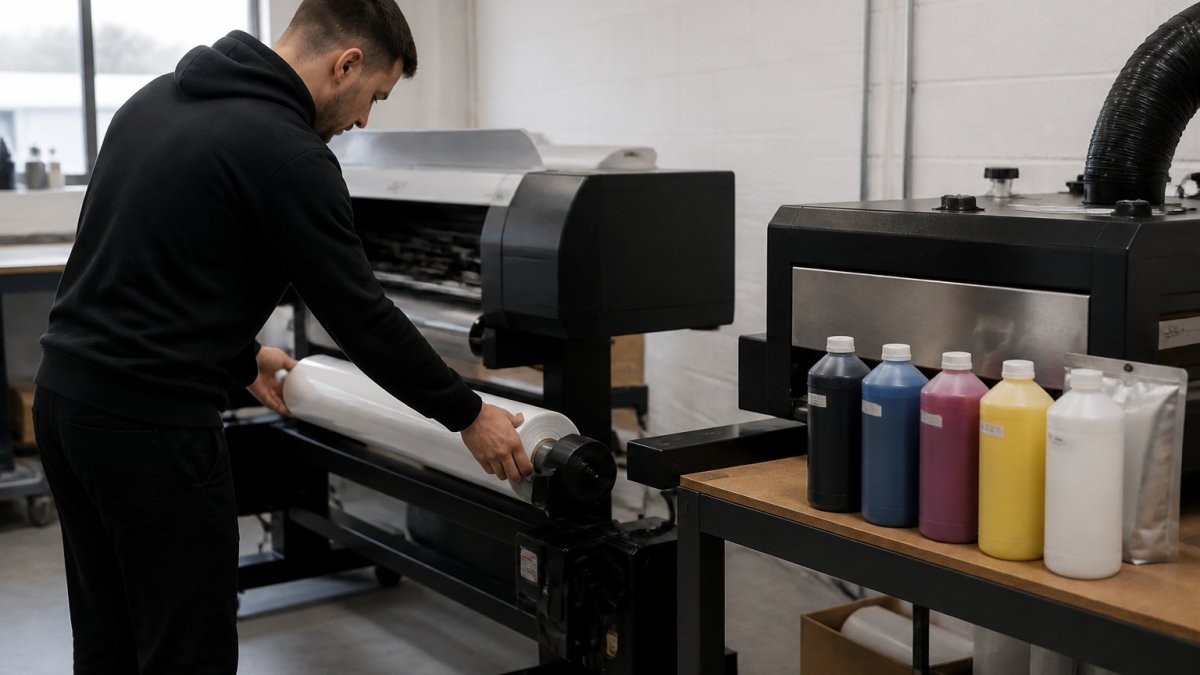
Core Machinery and Consumables
The printer is your biggest single investment, so match it to your volume. A small shop running short runs does not need the same machine as a contract printer running thousands of transfers a week.
Here is what the full kit looks like:
| Item | Role in the Workflow | What to Check |
|---|---|---|
| DTF printer | Prints the design onto film | Printhead type, width, daily duty cycle |
| DTF ink | Forms the colour and white layers | Water-based, batch traceable |
| PET transfer film | Carries the printed design | Matte, hot-peel, correct width |
| Adhesive powder | Bonds ink to garment | Even coverage, correct cure |
| Curing unit | Melts the powder | Stable temperature control |
| Heat press | Applies the transfer | Even pressure, accurate heat |
Film, Powder and Ink Choices That Affect Output
Consumables decide your finished quality more than most people expect. A weak white layer shows through on dark garments. Poor powder coverage causes lifting edges and failed wash tests.
We stock OEKO-TEX certified textile testing standards approved powder for exactly this reason. Our DTF Ink White gives the high-opacity underbase that dark garments need, and our DTF Film is a 75 micron hot-peel PET film built for consistent production.
DTF Printer Setup: Getting the Workflow Right From Day One
Good DTF printer setup is about stable conditions, not a one-off installation. Get the room right and the machine will behave.
Workspace Conditions That Keep Output Consistent
Dust is the enemy. Film picks up particles, powder clings where it should not, and printheads clog. Keep the room clean and control the basics:
- Temperature: steady, away from draughts and direct sun.
- Humidity: stable; dry air speeds up ink drying in the lines.
- Dust: cover the printer when idle and clean the floor daily.
- Light: avoid strong UV near stored film.
- Layout: keep powder away from the printer to stop cross-contamination.
Run a test print at the start of every shift. It takes two minutes and catches most issues before they hit a customer order.
DTF Printer Maintenance: The Routine That Prevents Downtime
DTF printer maintenance is the cheapest insurance you can buy. A short daily and weekly routine prevents the majority of breakdowns we get called out to.
Daily tasks:
- Run a nozzle check and clean the printhead if needed
- Agitate white ink and check circulation
- Wipe the capping station and wiper
- Clear waste ink and check levels
- Print a test transfer
Weekly tasks:
- Clean the film path and rollers
- Check dampers and lines for air
- Inspect the powder shaker for clumps
- Verify curing and press temperatures
DTF Printer Troubleshooting: Common Faults and What Causes Them
DTF printer troubleshooting starts with one question: is the fault in the print, the powder, or the press? Most issues trace back to one of those three.
| Symptom | Likely Cause | Fix |
|---|---|---|
| Weak or patchy white | Settled ink, blocked circulation | Agitate ink, run circulation, clean head |
| Banding in the print | Clogged nozzles, misalignment | Nozzle check, clean, realign |
| Powder not sticking | Damp film, low cure temp | Check storage, verify cure settings |
| Edges lifting after wash | Under-cured powder, low pressure | Increase cure time, check press pressure |
| Transfer peeling hot | Wrong film or press temp | Confirm hot-peel film, adjust temp |
Work through the table in order. Change one variable at a time so you know what fixed it.
When to Repair, Replace or Call in Support
Repair wins when the fault is a worn part, not a dead machine. Printheads, dampers, pumps and rollers are all serviceable, and replacing them is far cheaper than a new unit.
Replace when repair costs approach the price of a new machine, or when your volume has outgrown the current model.
Call in support when the fault is intermittent, when you have already made it worse by trying to fix it, or when the machine is down and orders are waiting. That last one is where we come in. Laserprints provides expert repair and servicing for laser, DTF and UV print engines, supplies genuine spare parts, and offers remote support to get you back up fast. If you need ink in the meantime, our DTF Ink Black is batch tested for consistency, and our DTF Powder is OEKO-TEX approved.


We work with print shops of all sizes, and we stand behind our diagnosis.
Frequently Asked Questions
What equipment do you need to set up a DTF printing workspace?
A working DTF print UK setup needs a DTF printer with an Epson-based printhead, water-based DTF inks in CMYK and white, DTF transfer film, hot melt adhesive powder, a powder shaker or applicator, a curing oven, and a heat press. You also need a clean, stable workspace with room for film rolls and finished transfers. Consumables matter as much as the printer: Indie Ultra Black DTF Ink (£19.00), Indie Ultra White DTF Ink (£19.00), Indie Ink DTF Adhesive Powder (£15.00) and Indie Ink DTF Transfer Film (£49.00) are all designed to work together as a matched workflow.
How do you maintain a DTF printer to avoid downtime?
DTF printer maintenance comes down to consistency. Agitate white ink regularly because its high pigment concentration settles during storage and idle periods. Keep the white ink circulation and maintenance system running correctly, and clean the printhead, capping station and wiper on a set schedule rather than waiting for a fault. Check dampers, lines and filters whenever you change ink formulation. Batch-tested inks such as Indie Ultra Black and Indie Ultra White, both batch numbered for traceability, make it easier to spot when a consumable change is behind a drop in output quality.
What are the most common DTF printing problems?
The usual culprits are clogged or partially blocked printheads, weak white underbase coverage, powder applied unevenly or cured incorrectly, and transfers that lift at the edges after washing. Poor adhesion often traces back to insufficient powder coverage or wrong curing settings rather than the ink itself. Indie Ink suggests curing powdered transfers at roughly 110°C for 130 seconds as a starting point, then pressing at about 160°C for 15-20 seconds at medium pressure. Treat those as starting points and adjust for your film, garment and equipment.
What temperature and humidity are best for DTF printing?
DTF production runs most consistently in a stable, moderate environment. Large swings in temperature or humidity affect how ink behaves in the lines and how powder adheres to the printed film, which shows up as inconsistent transfers rather than an obvious fault. Keep the room at a steady temperature, avoid placing the printer next to external doors or heat sources, and maintain airflow without directing it straight at the printhead. If your output quality drifts seasonally, workspace conditions are worth checking before you assume the printer is failing.
Downtime is the real cost in DTF production, not the price of a part. A steady maintenance routine, the right consumables and a support partner who answers quickly keep your machines running and your orders moving. Laserprints specialises in exactly that: expert repair and servicing, genuine spare parts, remote support and fast response times for laser, DTF and UV print engines. Get started with Laserprints and keep your production line running without the guesswork.